
Darkmode Patents Chrome 插件, crx 扩展下载

Creates a Dark-mode user interface for Google Patents
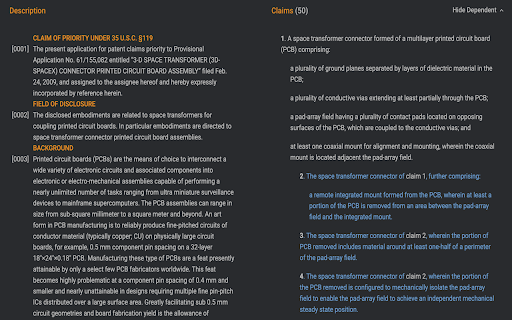
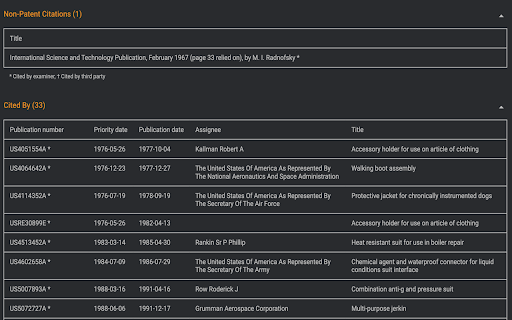
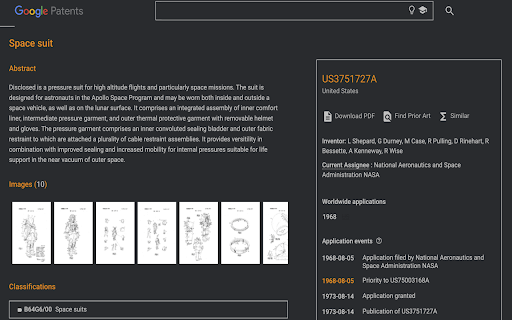
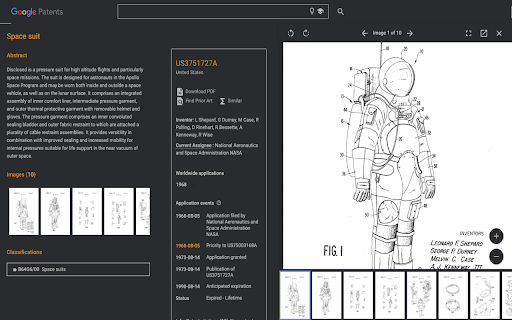
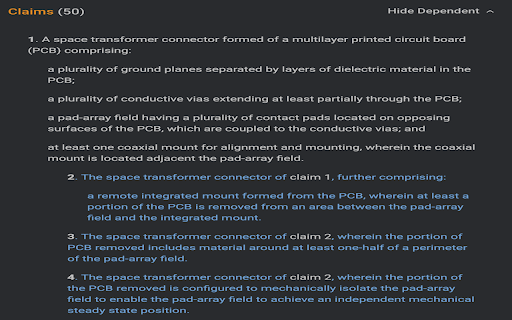
Automatically creates a Dark-Mode user interface for any patent that is opened in Google Patents. It is essentially an eye care extension for Intellectual Property professionals who spend their workdays reading patents.
Advantages: Reduces screen blue/white light emission, Improves patent text navigation, 'Priority date' highlighted in color, Colored differentiation of Independent and Dependent claims.
DarkMode Patents doesn't send any data anywhere and works locally on your browser.
| 分类 | 📝工作流程与规划 |
| 插件标识 | dcbnebjhpokibmljbhonakfhcmpkcgfl |
| 平台 | Chrome |
| 评分 |
☆☆☆☆☆
|
| 评分人数 | |
| 插件主页 | https://chromewebstore.google.com/detail/darkmode-patents/dcbnebjhpokibmljbhonakfhcmpkcgfl |
| 版本号 | 0.5.3 |
| 大小 | 13.74KiB |
| 官网下载次数 | 68 |
| 下载地址 | |
| 更新时间 | 2021-06-17 00:00:00 |
CRX扩展文件安装方法
第1步: 打开Chrome浏览器的扩展程序
第2步:
在地址栏输入: chrome://extensions/
第3步: 开启右上角的【开发者模式】
第4步: 重启Chrome浏览器 (重要操作)
第5步: 重新打开扩展程序管理界面
第6步: 将下载的crx文件直接拖入页面完成安装
注意:请确保使用最新版本的Chrome浏览器