
Salesforce.com Quick Login As Chrome 插件, crx 扩展下载
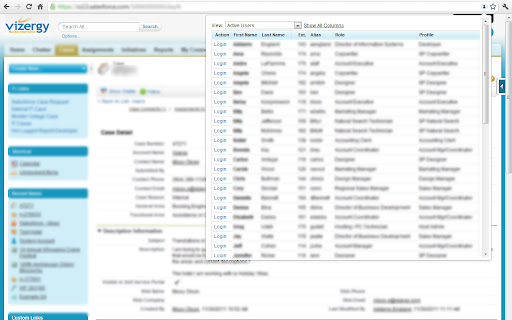
Makes it easy to login as another user. Maintains the page currently being viewed.
Have an issue or a great idea for this extension? Visit the support tab above to leave feedback.
Main Points
- Supports Classic and Lightning.
- Gives a popup of the users listed on the user listing page so you can select to login as a different user on any page.
- When a user is selected, it logs you in as that user and keeps you on the page you were viewing.
- When you log out, it will take you back to the page you were originally on when you logged in as the other user.
Additional Points
- Above the user list in the popup, the "View" dropdown is available so you can change to another view from the user listing page.
- Only the first 4 columns from the user listing table are shown by default (including the login column) since the popup has a limited width. A "All Columns" button is available if you can't identify the user you need by the default columns shown.
Updates
6/14/2019 - Now supports lightning
7/8/2015 - Added Filter textbox for quickly finding users
4/23/2012 - Now works with emea accounts
4/1/2012 - Now works with custom Salesforce domains
| 分类 | 💻开发者工具 |
| 插件标识 | dccccilgophpadpomgajjlkkioipoojh |
| 平台 | Chrome |
| 评分 |
☆☆☆☆☆
|
| 评分人数 | |
| 插件主页 | https://chromewebstore.google.com/detail/salesforcecom-quick-login/dccccilgophpadpomgajjlkkioipoojh |
| 版本号 | 8.3 |
| 大小 | 49.94KiB |
| 官网下载次数 | 10000 |
| 下载地址 | |
| 更新时间 | 2019-06-28 00:00:00 |
CRX扩展文件安装方法
第1步: 打开Chrome浏览器的扩展程序
第2步:
在地址栏输入: chrome://extensions/
第3步: 开启右上角的【开发者模式】
第4步: 重启Chrome浏览器 (重要操作)
第5步: 重新打开扩展程序管理界面
第6步: 将下载的crx文件直接拖入页面完成安装
注意:请确保使用最新版本的Chrome浏览器