
Cyan Voice Chrome 插件, crx 扩展下载

Use voice to text in Wordpress
Hi Friends,
Let me introduce you to a new concept for seamless transition to Voice-To-Text blogging for WordPress.
This is the first ever service for WordPress Bloggers to use Voice to Text features. It is very easy to use, will save time, effort, and energy. It has automatic punctuation, capitalization and may other useful features. And it is fully Free!
Lets glance through the key features below:
1. Ability to type even while browsing on a different tab.
2. Capital letters and full-stop is automatically added to a sentence.
3. Create H1, H2, ordered list, unordered list and more with ease.
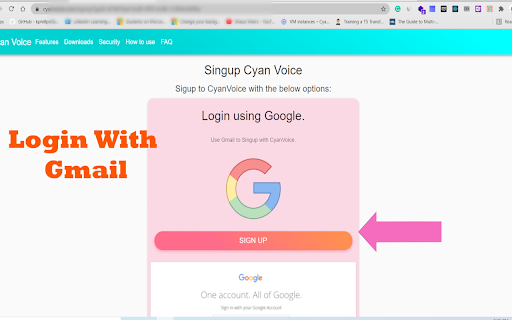
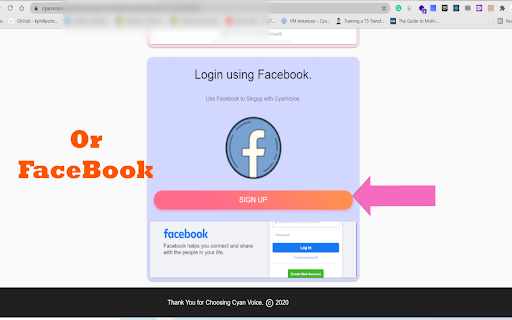
4. Easy to login using Gmail or Facebook account.
5. Ability to type even when using a different software.
The official website is:
https://cyanvoice.com
To start using the service starting today, please install the Chrome extension and Android app.
The download links for downloading are here:
https://cyanvoice.com/downloads
The installation and setup steps are:
1. Add the chrome extension from the Google Web Store.
2. Install the Android app from the Google Play Store.
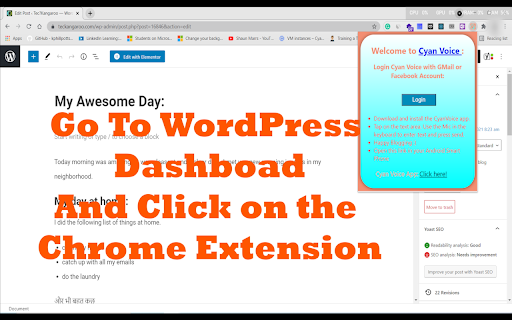
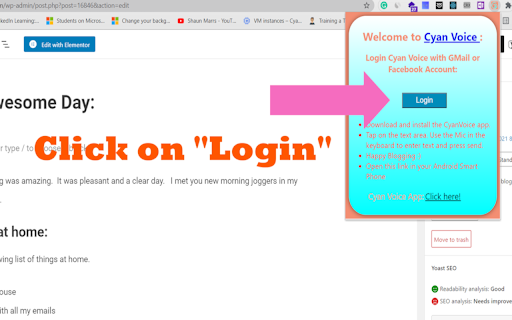
3. Navigate to the Blog editor page and open the Chrome Extension.
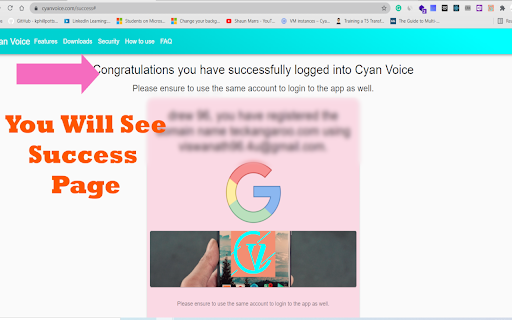
4. Go to Login page on the app and Login using the same account.
5. Come to the home page of the app and start using.
VIDEO INSTRUCTIONS https://cyanvoice.com/howtouse
The instructions to use the app are:
1. Login to the app using the same account used in the Chrome Extension.
2. Go to the HOME page after login is successful.
3.Tap on the text area and click the mic icon on the google keyboard and start authoring.
3. Press the send button and you can see the text appear in the Word press text editor.
| 分类 | 📝工作流程与规划 |
| 插件标识 | dedimghdccfklpeciccjmjlbpjlfggfp |
| 平台 | Chrome |
| 评分 |
☆☆☆☆☆
|
| 评分人数 | |
| 插件主页 | https://chromewebstore.google.com/detail/cyan-voice/dedimghdccfklpeciccjmjlbpjlfggfp |
| 版本号 | 25.2.3.0 |
| 大小 | 128KiB |
| 官网下载次数 | 10 |
| 下载地址 | |
| 更新时间 | 2021-07-04 00:00:00 |
CRX扩展文件安装方法
第1步: 打开Chrome浏览器的扩展程序
第2步:
在地址栏输入: chrome://extensions/
第3步: 开启右上角的【开发者模式】
第4步: 重启Chrome浏览器 (重要操作)
第5步: 重新打开扩展程序管理界面
第6步: 将下载的crx文件直接拖入页面完成安装
注意:请确保使用最新版本的Chrome浏览器