
Lazy Eye Training: Web Reader Chrome 插件, crx 扩展下载
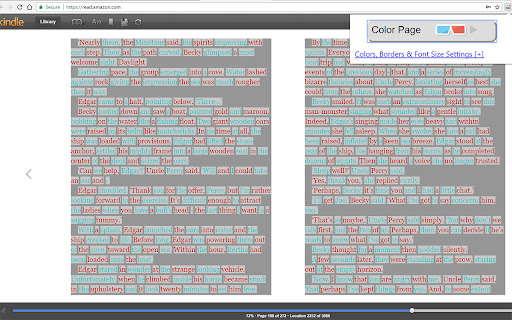
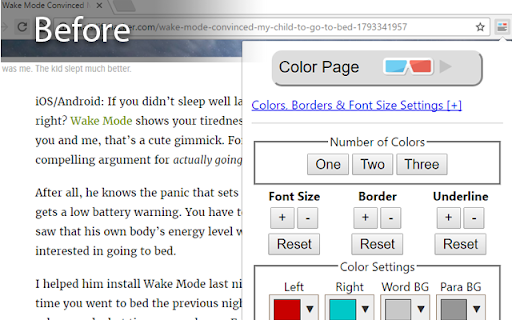
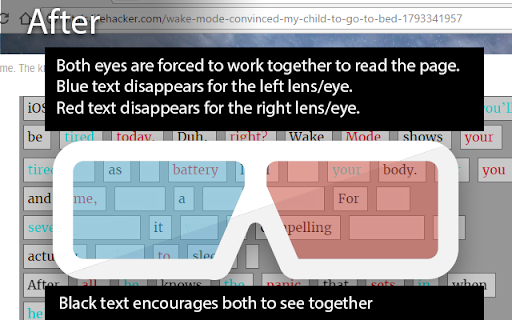
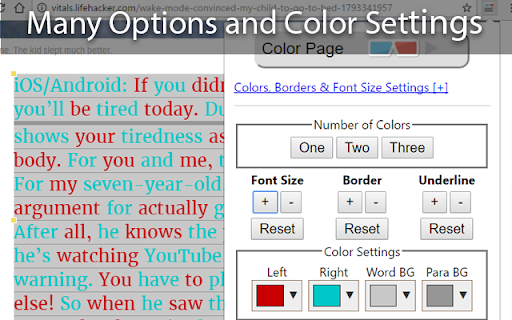
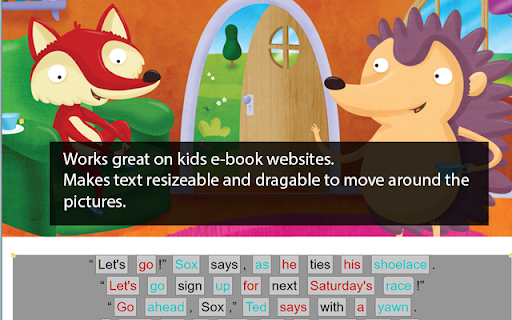
Colors text on web pages red/blue for antisuppression vision therapy supplement. Requires 3D glasses.
http://lazyeyetraining.com/
Lazy Eye Website Reader is a new chrome extension that colors the text on web pages red/green, or red/blue to work to create a vision therapy activity out of any website.
Now Supports Amazon Kindle Reader:
https://read.amazon.com
It requires 3D anaglyph glasses to work. There are many available on Amazon - here's a link to a search that works well:
Amazon: 3D Anaglyph Glasses
https://goo.gl/jC6R1t
Amazon: 3D Anaglyph Clip Ons
https://goo.gl/wXkOMJ
Note: This extension is not meant to diagnose or treat lazy eye completely in itself. It is intended to be used as part of a comprehensive therapy program as outlined by a qualified optometrist trained in the visual development system.
Other good kids sites are listed on our website:
http://www.lazyeyetraining.com
IMPORTANT: In some patients it can result in double vision. Please consult your optometrist before using.
| 分类 | ♿无障碍访问 |
| 插件标识 | dgglmnocacpmnagcpfliggljeejpmnin |
| 平台 | Chrome |
| 评分 |
☆☆☆☆☆
|
| 评分人数 | |
| 插件主页 | https://chromewebstore.google.com/detail/lazy-eye-training-web-rea/dgglmnocacpmnagcpfliggljeejpmnin |
| 版本号 | 2.1 |
| 大小 | 314KiB |
| 官网下载次数 | 207 |
| 下载地址 | |
| 更新时间 | 2021-09-27 00:00:00 |
CRX扩展文件安装方法
第1步: 打开Chrome浏览器的扩展程序
第2步:
在地址栏输入: chrome://extensions/
第3步: 开启右上角的【开发者模式】
第4步: 重启Chrome浏览器 (重要操作)
第5步: 重新打开扩展程序管理界面
第6步: 将下载的crx文件直接拖入页面完成安装
注意:请确保使用最新版本的Chrome浏览器