
Ultidash - New Tab Chrome 插件, crx 扩展下载
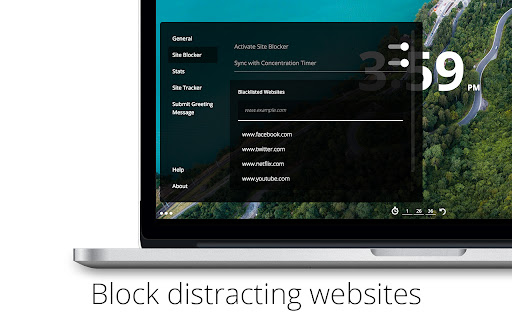
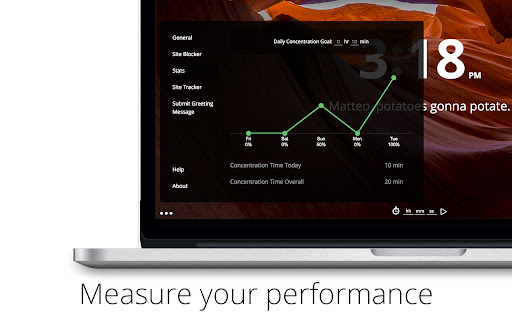
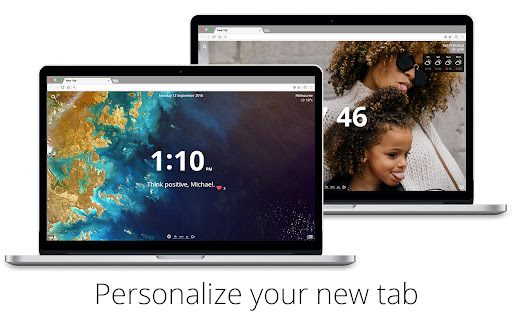
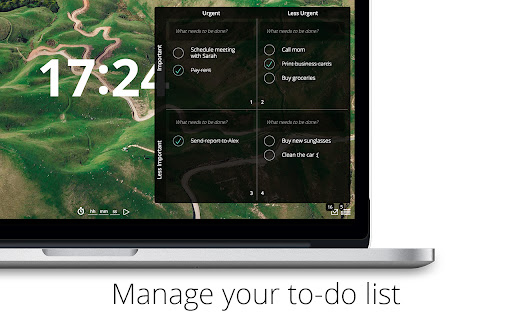
The ultimate productivity dashboard for your new tab.
Transform your life with the last Chrome productivity extension you’ll ever need. Ready to take your productivity to the next level? We’ve reimagined the best extensions available and created Ultidash, a powerful dashboard packed with all the tools you need to make today the most productive day of your week. You won’t believe how easy it is to turn your exhausting days into effortless productive ones. Ultidash will give you one reason to smile for every new tab you open, because happiness inspires productivity.
Here’s what you will find:
• To-do list in customisable formats (basic, Eisenhower box)
• Site blocker to manage your distractions
• Timer to keep you focused and track your daily productivity goals
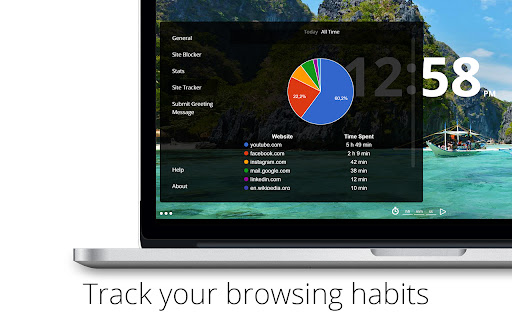
• Graphs and charts to measure your activity over time
• Site tracker to measure how you spend your time on the web
• Gmail icon displaying the number of unread emails
• Funny, motivational or custom greetings changing every hour
• Stunning backgrounds changing depending on the time of the day (or upload your own!)
• Customisable design with time, date, search, bookmarks, calendar events and weather forecast
Ultidash provides all the tools you need to succeed. Eliminate distraction, and bring order to your hectic days. This extension is perfect for students, freelancers, professionals or anyone who takes their productivity seriously.
We are all given the same hours in a day. Use them wisely, use Ultidash.
For Help & Feedback, shoot an email at:
[email protected]
PRIVACY NOTICE
We protect your data and we do not sell, trade, or otherwise transfer your information to any outside parties. The information we collect is only used to personalize your experience. Read more about it here: https://www.ultidash.com/privacy.html
| 分类 | 📝工作流程与规划 |
| 插件标识 | dghaelfeofkkdebndhkfoneojddiebhd |
| 平台 | Chrome |
| 评分 |
☆☆☆☆☆
|
| 评分人数 | |
| 插件主页 | https://chromewebstore.google.com/detail/ultidash-new-tab/dghaelfeofkkdebndhkfoneojddiebhd |
| 版本号 | 3.1.6 |
| 大小 | 6.35MiB |
| 官网下载次数 | 7000 |
| 下载地址 | |
| 更新时间 | 2021-09-09 00:00:00 |
CRX扩展文件安装方法
第1步: 打开Chrome浏览器的扩展程序
第2步:
在地址栏输入: chrome://extensions/
第3步: 开启右上角的【开发者模式】
第4步: 重启Chrome浏览器 (重要操作)
第5步: 重新打开扩展程序管理界面
第6步: 将下载的crx文件直接拖入页面完成安装
注意:请确保使用最新版本的Chrome浏览器