
Photos Direct Link Chrome 插件, crx 扩展下载
Allow you to copy a direct link, with extension, from Google Photos.
*Extension changed the name/icon to accomplish Google trademark rules.
Allows you to copy a direct link, with extension (.jpg), from Google Album Archive (https://get.google.com/albumarchive) and Google Photos (https://photos.google.com).
Google Album Archive and Google Photos doesn't allow you to get an image direct link (with image extension [like png or jpg]).
This Chrome extension is very helpful to post images in forums or blogs, where the file extension is mandatory.
Is possible to configure the desired image size too.
IMPORTANT: Apparently, the generated URL (from Google Photos) stops working after some time. In my tests, some URLs stopped working after one day and others still working.
WORKAROUND: Added support to Google Album Archive (http://get.google.com/algumarchive).
Usage instructions:
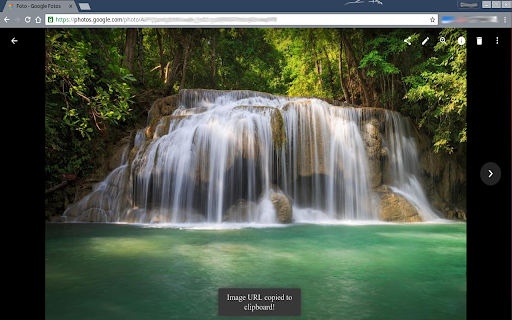
Open an image and just click (left click) over the image. A message is shown at the page bottom.
This extension is open source and can be found in https://github.com/ddo02/GooglePhotosDirectLink
| 分类 | 📝工作流程与规划 |
| 插件标识 | dgnaaplaoheafdckphgmpiaodckbcafg |
| 平台 | Chrome |
| 评分 |
☆☆☆☆☆
|
| 评分人数 | |
| 插件主页 | https://chromewebstore.google.com/detail/photos-direct-link/dgnaaplaoheafdckphgmpiaodckbcafg |
| 版本号 | 1.0 |
| 大小 | 47.38KiB |
| 官网下载次数 | 10000 |
| 下载地址 | |
| 更新时间 | 2020-09-01 00:00:00 |
CRX扩展文件安装方法
第1步: 打开Chrome浏览器的扩展程序
第2步:
在地址栏输入: chrome://extensions/
第3步: 开启右上角的【开发者模式】
第4步: 重启Chrome浏览器 (重要操作)
第5步: 重新打开扩展程序管理界面
第6步: 将下载的crx文件直接拖入页面完成安装
注意:请确保使用最新版本的Chrome浏览器