
Github diff helper Chrome 插件, crx 扩展下载
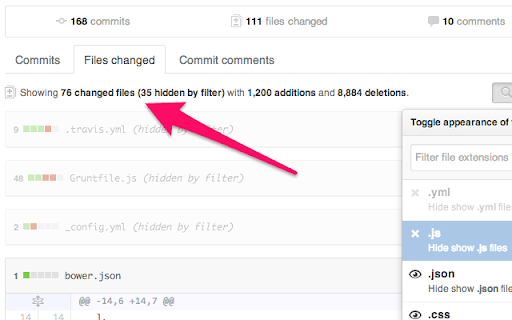
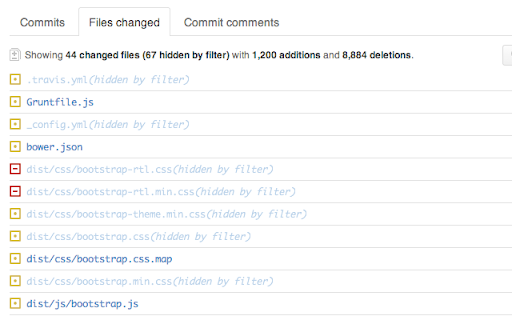
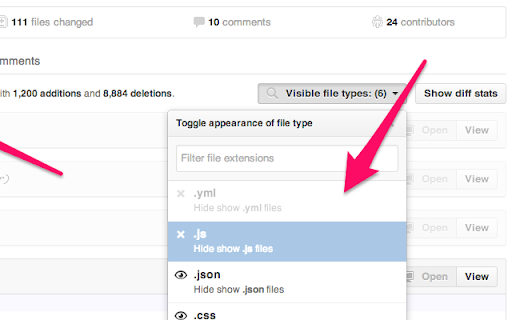
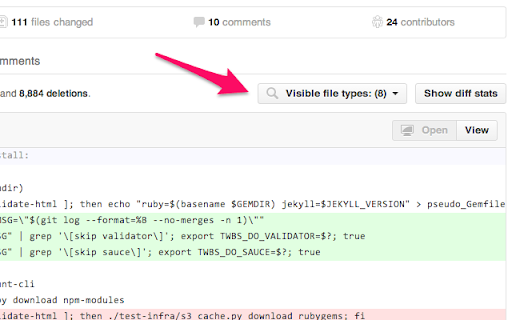
When you have too many files in one github diff, this extension helps you filter out the noise
★★★★★
Updated to work with the new github async loading files
★★★★★
Github's diff views are terrific, they let you code review easily, but sometimes there's too much to go over!
This extension lets you filter out the noise.
Adding a small button in the Github diff view, you can select which file types you want to hide.
Especially useful when you compile your css with SCSS/LESS, and you don't want to go over tons of generated css files.
Or when you write CofeeScript and don't want to go over the generated js files.
The extension also helps multiple code reviewers, when you are only in charge of code reviewing a small portion of a large diff.
Let me know what you think, issues can be posted here : https://github.com/altryne/Github-diff-extension/issues
| 分类 | 💻开发者工具 |
| 插件标识 | dhggdgaoccikibijlbocggphcomehbih |
| 平台 | Chrome |
| 评分 |
☆☆☆☆☆
|
| 评分人数 | |
| 插件主页 | https://chromewebstore.google.com/detail/github-diff-helper/dhggdgaoccikibijlbocggphcomehbih |
| 版本号 | 1.1 |
| 大小 | 137KiB |
| 官网下载次数 | 163 |
| 下载地址 | |
| 更新时间 | 2017-04-15 00:00:00 |
CRX扩展文件安装方法
第1步: 打开Chrome浏览器的扩展程序
第2步:
在地址栏输入: chrome://extensions/
第3步: 开启右上角的【开发者模式】
第4步: 重启Chrome浏览器 (重要操作)
第5步: 重新打开扩展程序管理界面
第6步: 将下载的crx文件直接拖入页面完成安装
注意:请确保使用最新版本的Chrome浏览器