
BetterVRV Chrome 插件, crx 扩展下载
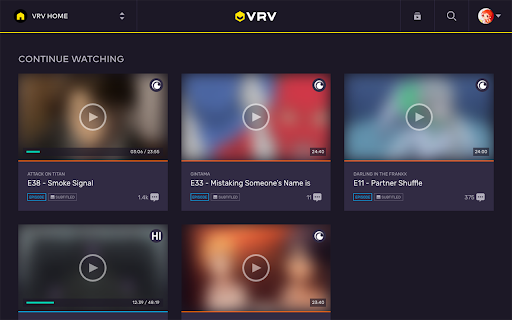
A suite of improvements to the VRV player and experience.
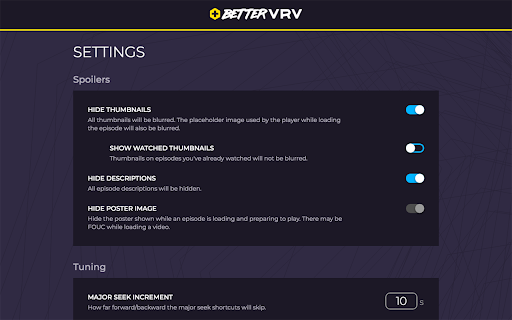
- Hide potential spoilers in the thumbnails and descriptions
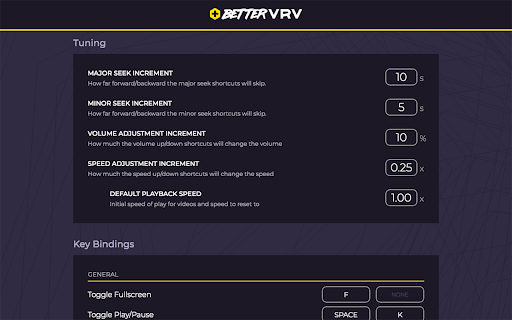
- Control the playback speed
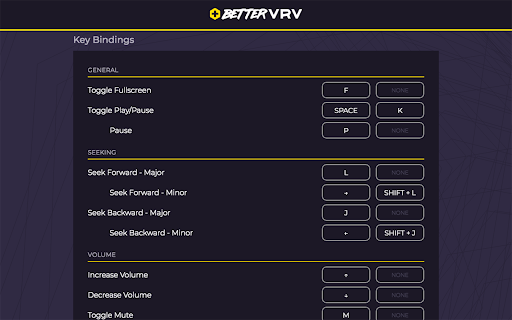
- Better control from the keyboard:
- Seek with the keyboard
- Adjust the volume and mute/unmute
- Adjust the playback speed
- Custom keybindings and increments for total control
- Skip intros and auto-play the next episode when the outro/ending starts
- Reorganize the home page of VRV to be more relevant to you; bringing the "Continue Watching" section right to the top
- ...and many other upgrades to make the VRV experience better
This extension relies on our users submitting timestamps for when intros/outros/etc. start and end so that other users can skip around these. Please consider reading the annotation guidelines and helping out by clicking on the BetterVRV icon in your Chrome taskbar to add annotations when you're watching an episode. It only takes a moment and makes everyone else's experience that much better.
| 分类 | 📝工作流程与规划 |
| 插件标识 | dhghipbelapdpgpdfmkebjnnokhpeock |
| 平台 | Chrome |
| 评分 |
☆☆☆☆☆
|
| 评分人数 | |
| 插件主页 | https://chromewebstore.google.com/detail/bettervrv/dhghipbelapdpgpdfmkebjnnokhpeock |
| 版本号 | 25.2.3.0 |
| 大小 | 2.52MiB |
| 官网下载次数 | 303 |
| 下载地址 | |
| 更新时间 | 2019-02-08 00:00:00 |
CRX扩展文件安装方法
第1步: 打开Chrome浏览器的扩展程序
第2步:
在地址栏输入: chrome://extensions/
第3步: 开启右上角的【开发者模式】
第4步: 重启Chrome浏览器 (重要操作)
第5步: 重新打开扩展程序管理界面
第6步: 将下载的crx文件直接拖入页面完成安装
注意:请确保使用最新版本的Chrome浏览器