
linkedin-google-chrome-extension Chrome 插件, crx 扩展下载
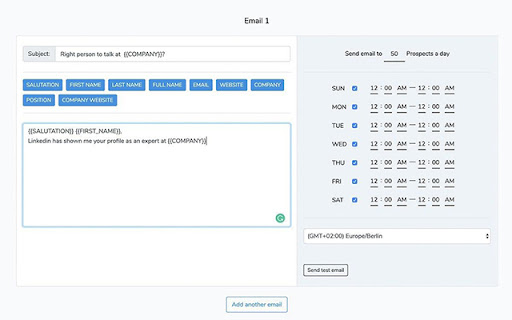
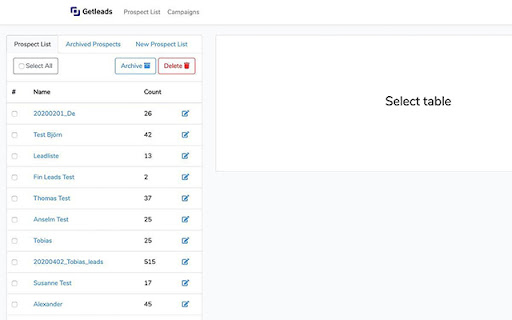
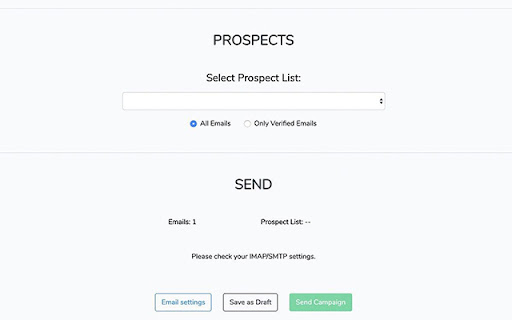
Google Chrome extension that is working with “Linkedin.com”
Getleads.cc is the secret weapon of every salesperson.
Do not waste your time with qualifying prospects - simply focus on closing deals.
Getleads.cc brings you automatically warm leads that are willing to start negotiations about business with you. - Without coldcalling or any marketing advertisement spent.
How to use it?
1. Install the Getleads.cc Chrome extension.
2. Create a free Getleads.cc account on https://www.getleads.cc
2. Go to any Linkedin, Xing or other supported social media profile and save prospects.
3. Or you can search leads in Linkedin search or Sales Navigator and select leads with checkboxes or set how many pages of search results do you need to save.
For any further questions about email finder, feel free to contact us.
| 分类 | 💻开发者工具 |
| 插件标识 | dhkafidmodkmomfaacplcphbnkgifiag |
| 平台 | Chrome |
| 评分 |
☆☆☆☆☆
|
| 评分人数 | |
| 插件主页 | https://chromewebstore.google.com/detail/linkedin-google-chrome-ex/dhkafidmodkmomfaacplcphbnkgifiag |
| 版本号 | 8.3 |
| 大小 | 417KiB |
| 官网下载次数 | 47 |
| 下载地址 | |
| 更新时间 | 2020-11-13 00:00:00 |
CRX扩展文件安装方法
第1步: 打开Chrome浏览器的扩展程序
第2步:
在地址栏输入: chrome://extensions/
第3步: 开启右上角的【开发者模式】
第4步: 重启Chrome浏览器 (重要操作)
第5步: 重新打开扩展程序管理界面
第6步: 将下载的crx文件直接拖入页面完成安装
注意:请确保使用最新版本的Chrome浏览器