
Flickr Photo Search Chrome 插件, crx 扩展下载
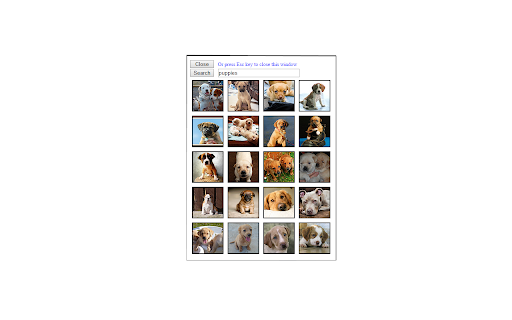
This extension searches Fickr for photos tagged with one or more keywords provided by the user.
This extension searches Fickr(tm) for the "most interesting" 20 photos tagged with one or more keywords provided by the user. The results of the search are displayed as small versions of the photos in a grid of 20. It's very fast. Clicking on a photo displays a much larger version of the same photo in a browser tab. No Flickr(tm) login is required in order to view the photo.
This extension is licensed by Flickr to provide photo searches. Such licensing implies no particular endorsement by Flickr(tm) or Yahoo!(tm).
This extension attempts to provide a safe search (i.e., a search suitable for all ages), but we cannot, of course, guarantee that every photo will be suitable for a younger audience.
Note that this software is intended for entertainment purposes, such as to view a bunch of cute kitten photos, or whatever. For serious research one should obtain a Flickr(tm) account and use their search facility.
| 分类 | 🎉趣味休闲 |
| 插件标识 | difdngiainckcdpcoikjjlgpalghmmkm |
| 平台 | Chrome |
| 评分 |
☆☆☆☆☆
|
| 评分人数 | |
| 插件主页 | https://chromewebstore.google.com/detail/flickr-photo-search/difdngiainckcdpcoikjjlgpalghmmkm |
| 版本号 | 1.0 |
| 大小 | 32.81KiB |
| 官网下载次数 | 160 |
| 下载地址 | |
| 更新时间 | 2014-09-29 00:00:00 |
CRX扩展文件安装方法
第1步: 打开Chrome浏览器的扩展程序
第2步:
在地址栏输入: chrome://extensions/
第3步: 开启右上角的【开发者模式】
第4步: 重启Chrome浏览器 (重要操作)
第5步: 重新打开扩展程序管理界面
第6步: 将下载的crx文件直接拖入页面完成安装
注意:请确保使用最新版本的Chrome浏览器