
Text-to-Speech Highlighter Chrome 插件, crx 扩展下载

Highlight and right click text to translate/voice!
Text-to-Speech Highlighter is a free service which reads the text you highlight, or its translation. It currently supports 70+ languages and dialects, and uses HTML5's Text-to-Speech (TTS) technology.
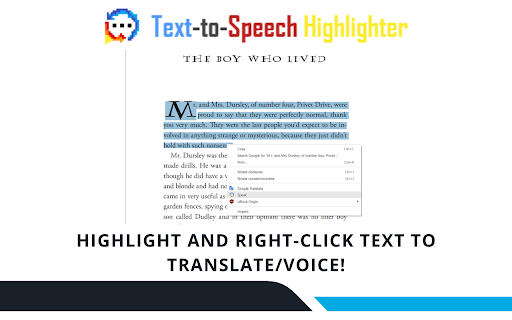
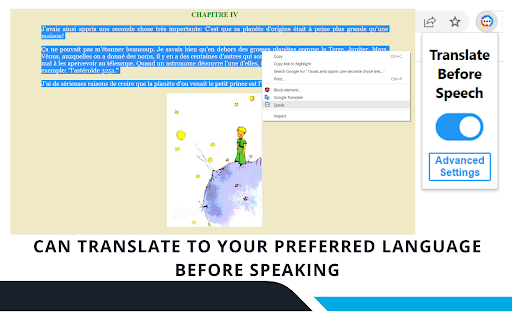
Simply highlight the text, right click it, and select the "Speak" option. With just two clicks, it's simple and quick to use! You can also press the extension icon and select "Translate before Speech" for it to translate the highlighted text into your preferred language before reading it.
This extension is perfect for language learners, especially people who can speak, but not read. We slow things down every other time so you can easily understand. Having trouble reading texts sent by family members in your traditional language? No problem, our team is entirely composed of second-generation immigrants; we know exactly how you feel, so we designed this with you in mind. Are you an international student getting used to a new environment? We've got you covered, the translation tool is perfect for you. Dyslexic? Well, we're here to make things easier for you.
Options:
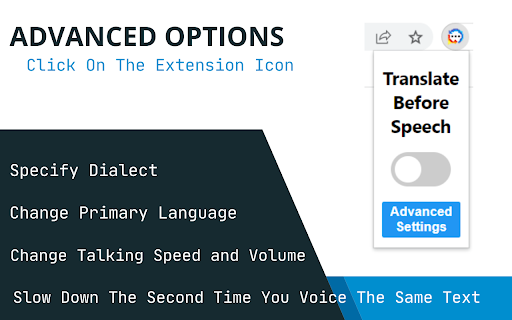
We now support various dialects. Click on the extension, and go into the advanced settings where you can choose your preferred dialect. For example, if you're Cantonese speaker, in the drop-down menu, select Cantonese/Yue for the program to read Chinese characters in Cantonese instead of Mandarin. Here you can also change text speed, change the volume, manually change your native language, or slow down the speech every other time.
Commands:
Cancel Speech: Alt+P (Command+P on Mac).
===============
Hello! Text-to-Speech Highlighter is made by Tim, Bryan, and Sammy. We are computer science students from the University of Waterloo and McMaster University. Since we run our product at a loss, we will greatly appreciate any support we receive. Thank you for your generosity and support! :D
All donations will be spent on running this service: https://www.buymeacoffee.com/ttshighlighter
| 分类 | ♿无障碍访问 |
| 插件标识 | difkgogalighjoffonmipncaobobgnoj |
| 平台 | Chrome |
| 评分 |
☆☆☆☆☆
|
| 评分人数 | |
| 插件主页 | https://chromewebstore.google.com/detail/text-to-speech-highlighte/difkgogalighjoffonmipncaobobgnoj |
| 版本号 | 2.19.1 |
| 大小 | 57.3KiB |
| 官网下载次数 | 6000 |
| 下载地址 | |
| 更新时间 | 2022-12-20 00:00:00 |
CRX扩展文件安装方法
第1步: 打开Chrome浏览器的扩展程序
第2步:
在地址栏输入: chrome://extensions/
第3步: 开启右上角的【开发者模式】
第4步: 重启Chrome浏览器 (重要操作)
第5步: 重新打开扩展程序管理界面
第6步: 将下载的crx文件直接拖入页面完成安装
注意:请确保使用最新版本的Chrome浏览器