
Meet Scheduler Chrome 插件, crx 扩展下载
A chrome extension that lets you auto join and auto leave your google meet/ zoom meetings
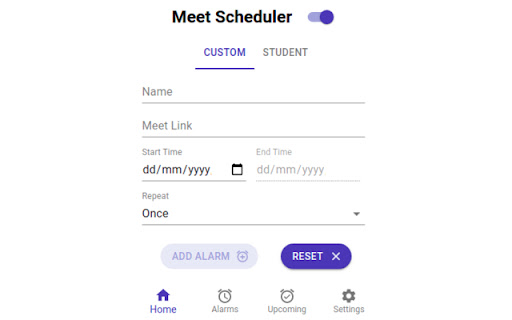
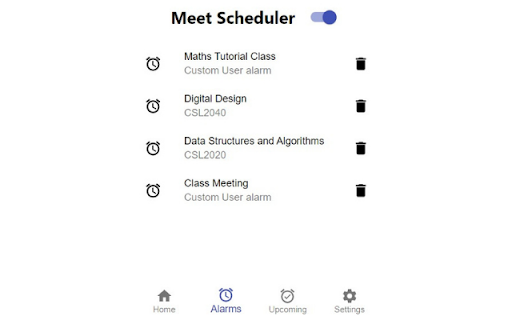
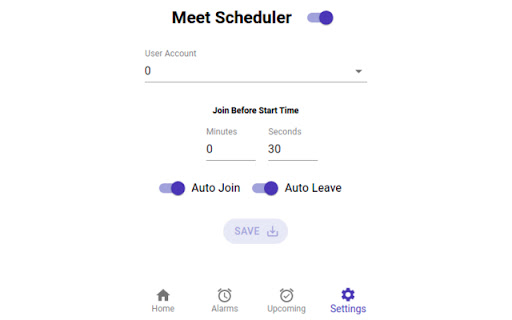
This chrome extension creates alarm for your google meet/zoom links by just accepting the link and start and end (optional) time from the Custom tab (IIT Jodhpur students can select the slots and the courses from the Student tab). As soon as the alarm is triggered, the given link gets opened in a new tab (You can even manage the start time in the Settings tab according to your convenience). It will Auto Join the meeting (with mic and camera off) and will also Auto Leave the meeting for you.
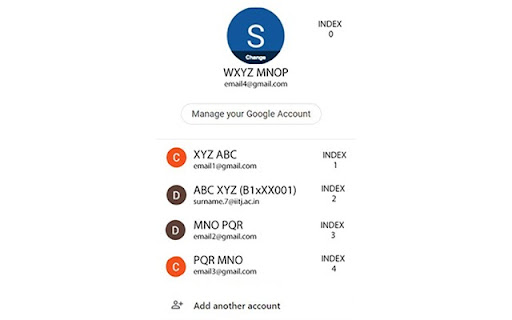
To use the auto join feature, turn on the Auto Join switch in the Settings tab and change the User Account to the number corresponding to the account using which you want to join the meeting. The image added for your reference shows that the account corresponding to IIT Jodhpur has index 2 and hence one should select 2 in the User Account drop-down list if they want to use that account. Same logic applies to any other account a user might want to use.
Similarly, for the Auto Leave function to work, the Auto Leave switch must be on in the Settings Tab.
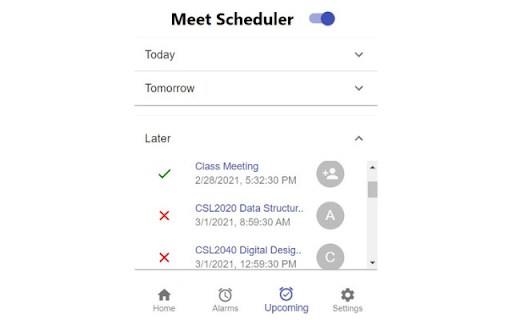
The alarms are categorized according to Today, Tomorrow and Later in the Upcoming Tab. You can even turn them off by just clicking on the green tick-mark besides the alarm.
The Meet Scheduler switch on the top of the pop-up is a switch for the entire extension. If you turn that off, the extension won't trigger any alarm for you.
This project is open sourced at https://github.com/devlup-labs/meet-scheduler
Feel free to collaborate and contribute to the project!
- Made with <3 by Devlup Labs
| 分类 | 📝工作流程与规划 |
| 插件标识 | djlpjopjnkojimgiaefgbenbbkkknnln |
| 平台 | Chrome |
| 评分 |
☆☆☆☆☆
|
| 评分人数 | |
| 插件主页 | https://chromewebstore.google.com/detail/meet-scheduler/djlpjopjnkojimgiaefgbenbbkkknnln |
| 版本号 | 1.14.0 |
| 大小 | 2.36MiB |
| 官网下载次数 | 949 |
| 下载地址 | |
| 更新时间 | 2022-08-16 00:00:00 |
CRX扩展文件安装方法
第1步: 打开Chrome浏览器的扩展程序
第2步:
在地址栏输入: chrome://extensions/
第3步: 开启右上角的【开发者模式】
第4步: 重启Chrome浏览器 (重要操作)
第5步: 重新打开扩展程序管理界面
第6步: 将下载的crx文件直接拖入页面完成安装
注意:请确保使用最新版本的Chrome浏览器