
JiraRTL Chrome 插件, crx 扩展下载
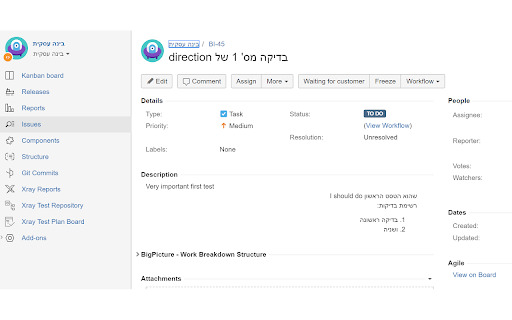
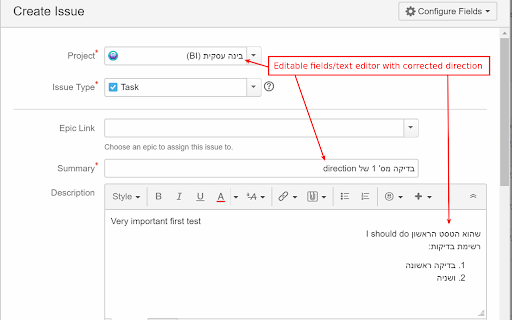
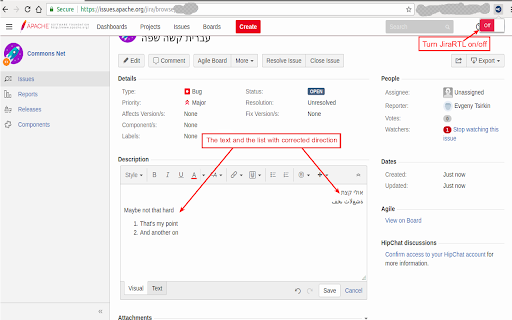
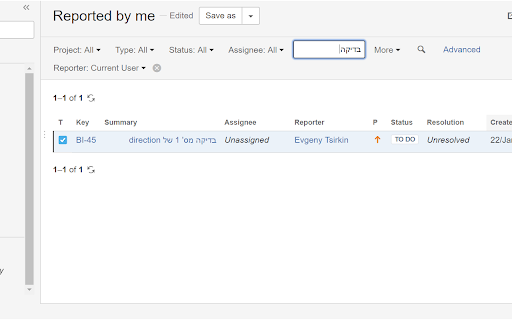
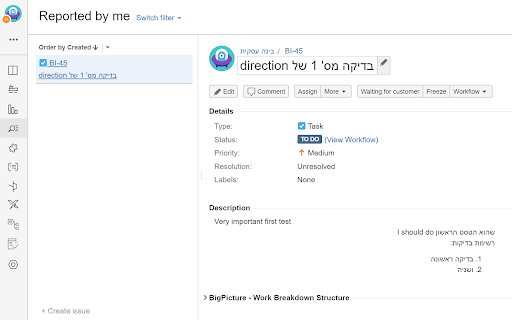
Enables well aligned and properly established direction of Hebrew and Arabic RTL text in Jira.
Enables well aligned and properly established direction of rtl text in Jira.
The titles/description/comments etc. will be shown in the expected way.
The same goes to task lists.
The text editor & editable fields will automatically acquire the correct write direction and alignment.
The extension stores the domain name of your Jira installation and automatically "fixes" Jira pages on page reloads.
Turn the JiraRTL on and off and reload the page if you want to see how your task or epic looks like with/without the extension.
Please report bugs/features on github:
https://github.com/tsirkin/jira-rtl/issues
| 分类 | 💻开发者工具 |
| 插件标识 | djnbhcebgngagmioniajfhbldkoegcco |
| 平台 | Chrome |
| 评分 |
☆☆☆☆☆
|
| 评分人数 | |
| 插件主页 | https://chromewebstore.google.com/detail/jirartl/djnbhcebgngagmioniajfhbldkoegcco |
| 版本号 | 8.3 |
| 大小 | 283KiB |
| 官网下载次数 | 2000 |
| 下载地址 | |
| 更新时间 | 2021-07-23 00:00:00 |
CRX扩展文件安装方法
第1步: 打开Chrome浏览器的扩展程序
第2步:
在地址栏输入: chrome://extensions/
第3步: 开启右上角的【开发者模式】
第4步: 重启Chrome浏览器 (重要操作)
第5步: 重新打开扩展程序管理界面
第6步: 将下载的crx文件直接拖入页面完成安装
注意:请确保使用最新版本的Chrome浏览器