
Cyano Wallet Chrome 插件, crx 扩展下载
Cyano Wallet - an Ontology wallet
WebExtension wallet for the Ontology blockchain compatible with Chrome.
Security
When using this extension be responsible. You can follow some of these security tips:
* Divide your assets between Cold (little use) and Hot (active use) wallet
* Regularly check your balances
* Use hardware wallet for your Cold wallet
* Do not use Smart contract whitelisting on your Cold wallet
What does it currently do:
Create a wallet using mnemonics phrase
Encrypt a Private Key
Login with Mnemonics phrase, Private Key or a stored account.
Wallet Export/Import
Ledger support
Trezor support
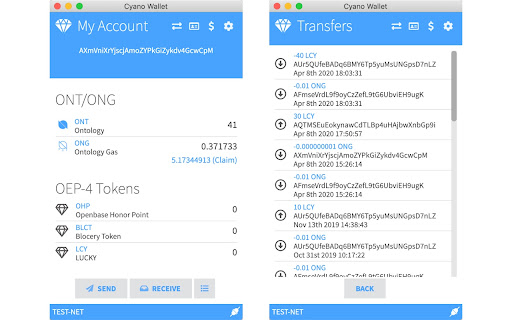
View balance
Send ONG and ONT
Withdraw (claim) ONG
Switch networks (Test/Main/Private) with TLS support
ONT ID support
Ontology dAPI support
NEO and ONT address support for normal and Ledger accounts
OEP-4 tokens
Privacy policy
Visit https://github.com/ontio-community/cyano-wallet/blob/master/PRIVACY.md to see the whole privacy policy.
| 分类 | 📝工作流程与规划 |
| 插件标识 | dkdedlpgdmmkkfjabffeganieamfklkm |
| 平台 | Chrome |
| 评分 |
☆☆☆☆☆
|
| 评分人数 | |
| 插件主页 | https://chromewebstore.google.com/detail/cyano-wallet/dkdedlpgdmmkkfjabffeganieamfklkm |
| 版本号 | 25.2.3.0 |
| 大小 | 3.26MiB |
| 官网下载次数 | 4000 |
| 下载地址 | |
| 更新时间 | 2022-03-09 00:00:00 |
CRX扩展文件安装方法
第1步: 打开Chrome浏览器的扩展程序
第2步:
在地址栏输入: chrome://extensions/
第3步: 开启右上角的【开发者模式】
第4步: 重启Chrome浏览器 (重要操作)
第5步: 重新打开扩展程序管理界面
第6步: 将下载的crx文件直接拖入页面完成安装
注意:请确保使用最新版本的Chrome浏览器