
Revolver - Tabs Chrome 插件, crx 扩展下载
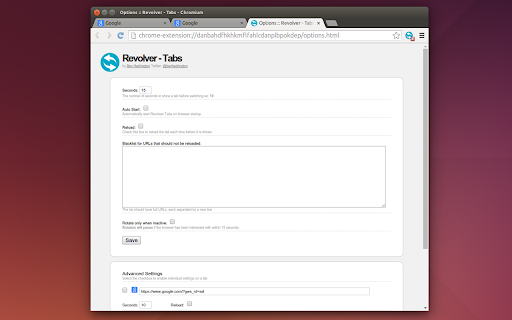
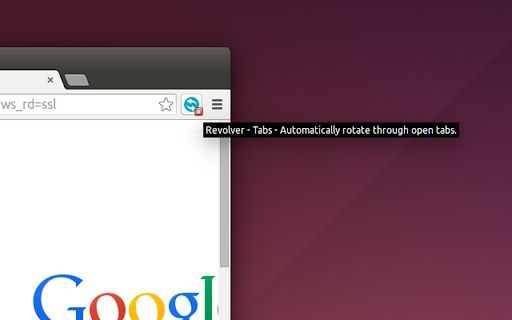
Automatically rotate through open tabs. By Ben Hedrington
Due to major change in Chrome Extension technology this extension is in the process of being re-written under a new name, goRotate.
Search "goRotate" in the Chrome Web Store under Extensions.
https://chromewebstore.google.com/detail/gorotate/jhkfmnapfhbolleochedngmapebghedi
Thank you,
- Ben Hedrington
---
A slideshow for the web.... Revolver - Tabs
Revolver - Tabs takes your current open tabs and rotates between each of them pausing for as many seconds as you like and continuing until you stop it. Revolver - Tabs can reload the tabs on each view or not if you choose. Optionally Revolver - Tabs can wait while you are active in your browser and only rotate when you are inactive.
** We'd like to thank Wayne Goyer for sharing some significant and highly requested updates. The power of open source software! **
This was created for using Google Chrome full-screen to power unattended screens like kiosks or tv displays where rotating dynamic/live web content is needed.
Feel free to contact me if you have any questions...
Ben Hedrington
Twitter - @benhedrington
More Contact - http://buildcontext.com/blog/about
v0.1 - Initial Working Alpha
v0.2 - Updates from Fred Emmott - Rotation pauses if browser is being used, works on multiple windows.
v0.3 - Added more options, some bug fixes. Now with clearer icons when Tabs is running, waiting and stopped.
v0.5 - Updates from Aurimas Liutikas
v0.6 - With Automatic Start and updated Options page.
v0.7 - Significant updates from Wayne Goyer, advanced settings for each tab with highly requested features.
If you can help add features go for it! The code is here: https://github.com/benhedrington/revolver-chrome-extensions
| 分类 | 📝工作流程与规划 |
| 插件标识 | dlknooajieciikpedpldejhhijacnbda |
| 平台 | Chrome |
| 评分 |
☆☆☆☆☆
|
| 评分人数 | |
| 插件主页 | https://chromewebstore.google.com/detail/revolver-tabs/dlknooajieciikpedpldejhhijacnbda |
| 版本号 | 0.71 |
| 大小 | 21.17KiB |
| 官网下载次数 | 200000 |
| 下载地址 | |
| 更新时间 | 2024-08-03 00:00:00 |
CRX扩展文件安装方法
第1步: 打开Chrome浏览器的扩展程序
第2步:
在地址栏输入: chrome://extensions/
第3步: 开启右上角的【开发者模式】
第4步: 重启Chrome浏览器 (重要操作)
第5步: 重新打开扩展程序管理界面
第6步: 将下载的crx文件直接拖入页面完成安装
注意:请确保使用最新版本的Chrome浏览器