
NEU Library Access Chrome 插件, crx 扩展下载
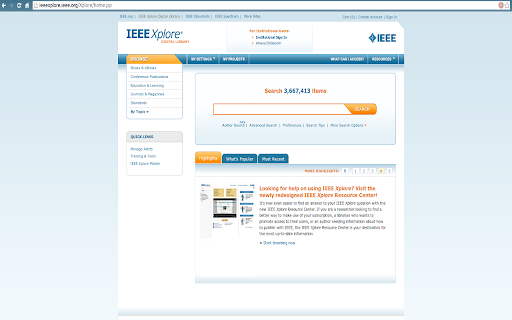
This extension lets users access all websites supported by ezproxy with NEU credentials
This extension lets users login to NEU library supported websites using myNEU credentials.
How it works:
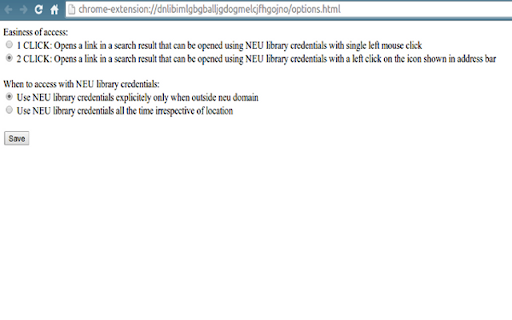
A set of websites where myNEU credential is accepted is available at "http://ezproxy.neu.edu/menu". Whenever one of these websites is visited this extension takes actions depending on mode selected from options page. If "1 CLICK" option is selected, the extension tries to sign in the user directly on opening the page. Otherwise, if "2 CLICK" option is selected, a small icon is shown at the extreme right side of the address bar and by clicking it an user logs in to the website using myNEU credentials. Moreover, if the user has selected to use this extension only when being used from non-neu network, the extension only tries to sign-in users when being used from outside neu networks.
P.S: This extension does not store myNEU credentials.
| 分类 | 📝工作流程与规划 |
| 插件标识 | dnlibimlgbgballjgdogmelcjfhgojno |
| 平台 | Chrome |
| 评分 |
☆☆☆☆☆
|
| 评分人数 | |
| 插件主页 | https://chromewebstore.google.com/detail/neu-library-access/dnlibimlgbgballjgdogmelcjfhgojno |
| 版本号 | 25.2.3.0 |
| 大小 | 50.27KiB |
| 官网下载次数 | 23 |
| 下载地址 | |
| 更新时间 | 2014-03-01 00:00:00 |
CRX扩展文件安装方法
第1步: 打开Chrome浏览器的扩展程序
第2步:
在地址栏输入: chrome://extensions/
第3步: 开启右上角的【开发者模式】
第4步: 重启Chrome浏览器 (重要操作)
第5步: 重新打开扩展程序管理界面
第6步: 将下载的crx文件直接拖入页面完成安装
注意:请确保使用最新版本的Chrome浏览器