
MyGuard Chrome 插件, crx 扩展下载
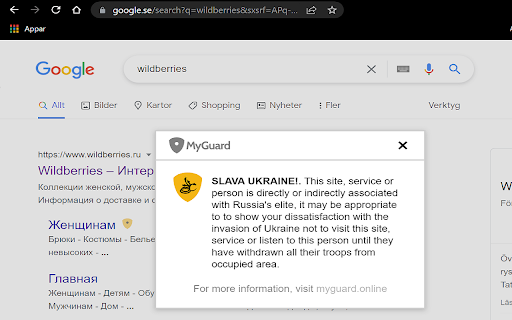
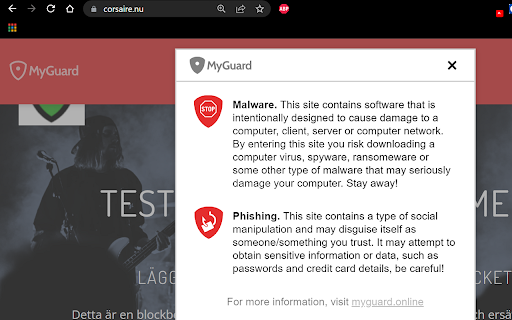
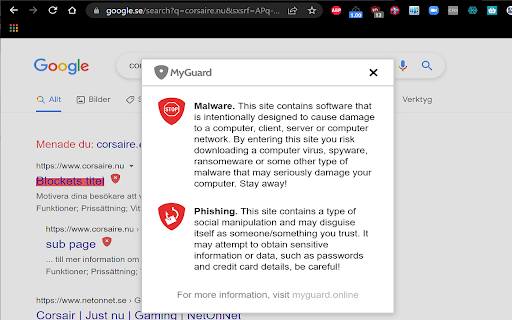
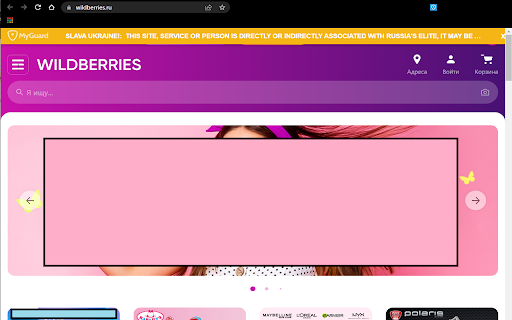
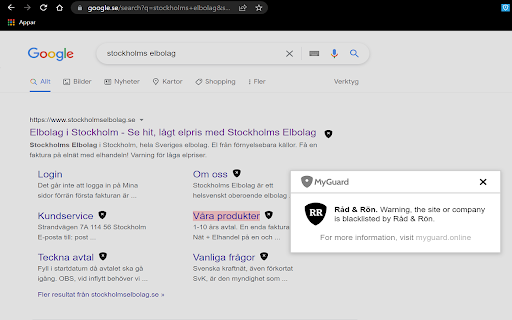
Warns users about unreliable sites and companies.
Do you want an easy way to avoid scammers online?
MyGuard is designed to protect its users from scammers, warn about untrustworthy sites, and stop you from unintentionally downloading harmful software to your computer.
We subscribe to several blacklists from third parties and can't ourselves remove blacklisted sites. A shield will appear next to the blacklisted site, and if you hover over it you will get more information.
In version 7.0.2 have we added support for Ukraine and to support them have we added an category that advise you that the service you are about to visit or user have benifitial owners from Russian elite and you perhaps should refrain from using their services for now.
Stay safe, use MyGuard
| 分类 | 🛠️工具 |
| 插件标识 | doakjmkgndbnkohimoehbnoijnbfnfbc |
| 平台 | Chrome |
| 评分 |
☆☆☆☆☆
|
| 评分人数 | |
| 插件主页 | https://chromewebstore.google.com/detail/myguard/doakjmkgndbnkohimoehbnoijnbfnfbc |
| 版本号 | 1.0.0.47 |
| 大小 | 206KiB |
| 官网下载次数 | 158 |
| 下载地址 | |
| 更新时间 | 2022-03-08 00:00:00 |
CRX扩展文件安装方法
第1步: 打开Chrome浏览器的扩展程序
第2步:
在地址栏输入: chrome://extensions/
第3步: 开启右上角的【开发者模式】
第4步: 重启Chrome浏览器 (重要操作)
第5步: 重新打开扩展程序管理界面
第6步: 将下载的crx文件直接拖入页面完成安装
注意:请确保使用最新版本的Chrome浏览器