
Blue Bell Gmail™ notification tool Chrome 插件, crx 扩展下载
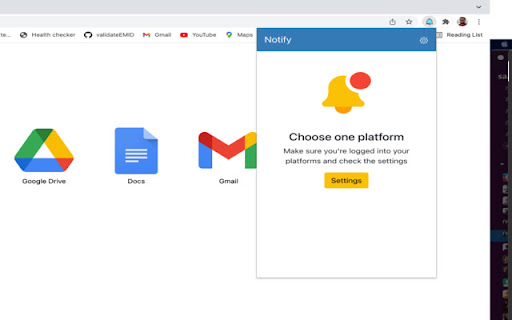
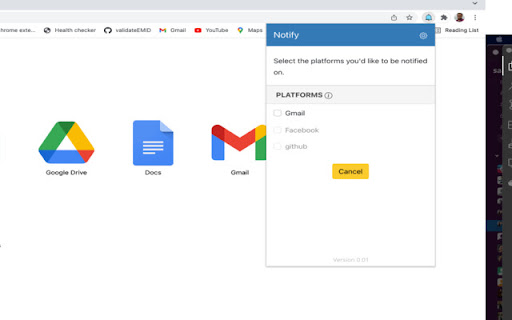
Blue Bell Gmail™ notification tool allows users to view new emails easily.
Blue bell is an open-source project that notifies you about incoming email from all your Google Mail accounts.
It also allows you to see new incoming emails as soon as they arrive.Even though it is not a full-featured Gmail client, it can help you complete a few routine tasks quickly.
Features:
✅ You do not need to enter any credentials.
✅ Use of RSS technology minimizes bandwidth consumption.
✅The extension code is publicly accessible on GitHub.
Blue Bell stores any information about me?
? Nothing is stored on servers.
? The only thing being locally stored for caching purposes ,
are your notifications for a faster loading time.
? This extension does not track you or collect any information from you.
? Your data is only transferred between your browser and the Google (Gmail) server.
? No data is sent to third parties.
Notes:
1.Multi-account simultaneous use is not supported at this time.
Privacy
1.Gmail™ is a trademark of Google . Blue Bell has no relationship or partnership with Gmail. We use Gmail RSS APIs and show notifications.
Source Code:
Source code of the extension is available on
Github: https://github.com/midhunz/blue-bell-notifier
To report bugs and track them submit them:
https://github.com/midhunz/blue-bell-notifier/issues?q=is%3Aopen+is%3Aissue
| 分类 | 📝工作流程与规划 |
| 插件标识 | dokpofkkaggijbeeaeijobkhjfdijjec |
| 平台 | Chrome |
| 评分 |
☆☆☆☆☆
|
| 评分人数 | |
| 插件主页 | https://chromewebstore.google.com/detail/blue-bell-gmail-notificat/dokpofkkaggijbeeaeijobkhjfdijjec |
| 版本号 | 30.2.5 |
| 大小 | 1.18MiB |
| 官网下载次数 | 113 |
| 下载地址 | |
| 更新时间 | 2022-08-05 00:00:00 |
CRX扩展文件安装方法
第1步: 打开Chrome浏览器的扩展程序
第2步:
在地址栏输入: chrome://extensions/
第3步: 开启右上角的【开发者模式】
第4步: 重启Chrome浏览器 (重要操作)
第5步: 重新打开扩展程序管理界面
第6步: 将下载的crx文件直接拖入页面完成安装
注意:请确保使用最新版本的Chrome浏览器