
Analytics Inspector Chrome 插件, crx 扩展下载
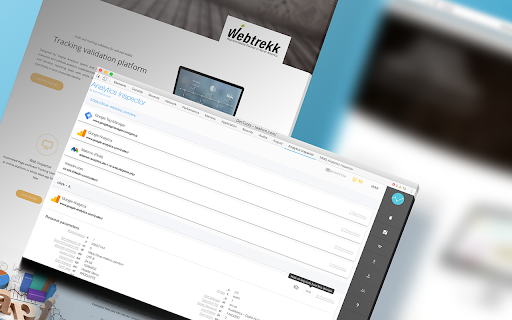





Analytics Inspector, by true-metrics.com provide an easy way to validate web analytics and marketing integration.
* * * Automated QA and Test Reports now available * * *
➡️ Examples and How-To videos: https://youtube.com/playlist?list=PLcQ8o6KhDqEBEFEDRstT_0IvNYNmesckZ
Release notes for v22.9.913
✔️ Test Reporting now available
✔️ Sing-in now available
✔️ Improve Automated QA
✔️ Add parameter description for Adobe Analytics and Google Analytics
✔️ Add Dark Mode support
Feature set:
– Automated request QA
– Test reporting (BETA)
– Authentication to sync settings
– Side-by-side request comparison
– Simple and intuitive user interface
– Parallel processing to handle high amount of requests
– Parameter highlighting for rapid comparison between requests
– Visual separation between page load and even requests
Supported vendors:
* Tealium - support for Tealium data layer debugging
* Google Analytics - detailed parameter description
* DoubleClick - detailed parameter description support
* Webtrekk - advanced parameter description
* Econda - Support decoding for "d" parameter
* Matomo (Piwik)
* Piwik Pro
* Visual Website Optimizer (VWO)
* Adobe Analytics
* Snowplow - Support decoding for "cx" and "ue_cx" parameter
* Google Ads
* Wunderkind / BounceX
* Speedcurve
* Yahoo
* Bing
* Bidtellect
Upcoming features for coming releases:
– Export functionality
– Sharing capability
* DON'T FORGET to disable "Block third-party cookies" in Chrome settings (chrome://settings/content/cookies) in order to use the application!
| 分类 | 💻开发者工具 |
| 插件标识 | dopkjjecbigomblmonkbbadicpbehdgh |
| 平台 | Chrome |
| 评分 |
☆☆☆☆☆
|
| 评分人数 | |
| 插件主页 | https://chromewebstore.google.com/detail/analytics-inspector/dopkjjecbigomblmonkbbadicpbehdgh |
| 版本号 | 8.3 |
| 大小 | 4.51MiB |
| 官网下载次数 | 738 |
| 下载地址 | |
| 更新时间 | 2022-09-25 00:00:00 |
CRX扩展文件安装方法
第1步: 打开Chrome浏览器的扩展程序
第2步:
在地址栏输入: chrome://extensions/
第3步: 开启右上角的【开发者模式】
第4步: 重启Chrome浏览器 (重要操作)
第5步: 重新打开扩展程序管理界面
第6步: 将下载的crx文件直接拖入页面完成安装
注意:请确保使用最新版本的Chrome浏览器