
分析-URL检查工具 Chrome 插件, crx 扩展下载
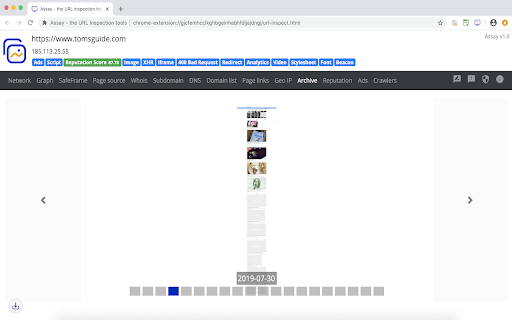
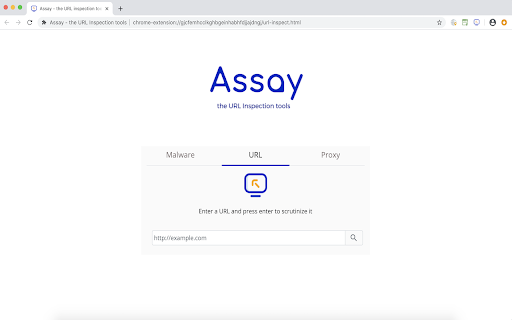
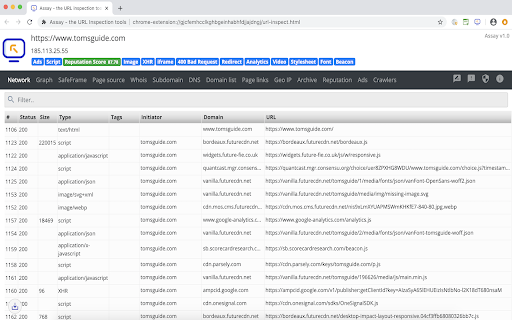
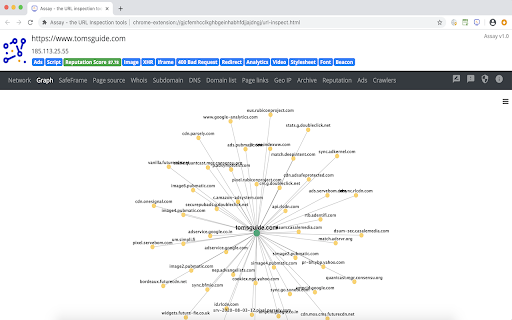
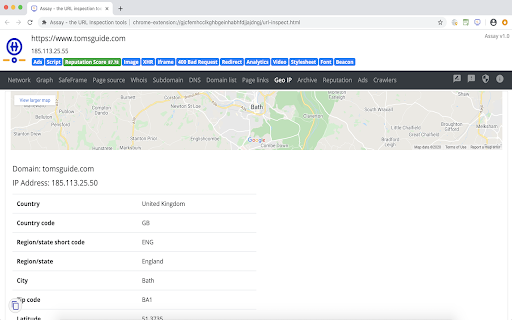
分析-URL检查工具提供有关Whois,子域,广告,分析,实时HTTP标头,存档,信誉,网站恶意软件的信息。
Assay - the URL Inspection tools provide information about whois, subdomain, GeoIP, DNS, Ads, analytics, live HTTP headers, website archives, safe frame, page source, page links, cookies, web crawlers (robots.txt), domain graph, domain reputation, and malware, phishing, scam indications of any websites.
Features
+ Web request and response monitor (Live HTTP Headers analysis)
+ Scam, Phishing and Malware detection
+ Flag the potentially risky domain
+ Auto-detect the redirection, non-secure links, broken links, javascript, images, videos, privacy policy, CSP report, malware, phishing, scam, advertisement, CDN and so on
+ Website graph - an illustration to explore the domain structure and dig into relationships
+ Whois & Subdomain lookup
+ Forward and Reverse DNS lookup
+ Geo-IP lookup (IP Location lookup)
+ SafeFrame - a controlled environment to render the website
+ Page source
+ Page archives (website historical screenshots)
+ Extracted page links (both internal & external links)
+ Reverse analytics search
+ Inspect Ads (advertisement)
+ Inspect cookies
+ Web crawler lookup (robots.txt)
+ Export the URL inspect results via download or copy to clipboard options
Privacy policy: https://d09r.github.io/assay-url-inspection-tools/privacy-policy
Mozilla Firefox: https://addons.mozilla.org/firefox/addon/assay-url-inspection-tools/
Microsoft Edge: https://microsoftedge.microsoft.com/addons/detail/bffbmkldeaakhfbaaldpcplegangmblc
Changelog:
Version 1.0 - Aug 3, 2020
- Domain reputation lookup
- Inspect cookies
- Web crawlers lookup
Version 0.6 - May 1, 2020
- Forward and Reverse DNS Lookup
- Added quick-navigation menu
- Privacy policy updated
Version 0.5 - Apr 19, 2020
- Added a website-graph feature, an illustration to explore the domain structure and dig into relationships
Version 0.4 - Apr 9, 2020
- Added a feature to auto-flag the potentially risky domain
- Performance improvements
Version 0.3 - Apr 4, 2020
- Malware detection using PhishTank & Google’s Safebrowsing
- Privacy policy updated
Version 0.2 - Mar 30, 2020
- Inspect Ads
- Geo-IP lookup (IP Location lookup)
- Page archives (historical screenshots)
Version 0.1 - Mar 6, 2020
- Live HTTP headers analysis
- SafeFrame (use to test websites or ads in a controlled environment)
- Auto-tagging such as non-SSL, redirection, scripts, iframe
- Extracted domains list
- Whois & Subdomain lookup
- Page source
- Extracted page links (both internal & external links)
| 分类 | 📝工作流程与规划 |
| 插件标识 | dpaahndfhbkiolfhjbeaocgmphmgidih |
| 平台 | Chrome |
| 评分 |
☆☆☆☆☆
|
| 评分人数 | |
| 插件主页 | https://chromewebstore.google.com/detail/分析-url检查工具/dpaahndfhbkiolfhjbeaocgmphmgidih |
| 版本号 | 1.2.0.11 |
| 大小 | 1.0MiB |
| 官网下载次数 | 649 |
| 下载地址 | |
| 更新时间 | 2020-08-16 00:00:00 |
CRX扩展文件安装方法
第1步: 打开Chrome浏览器的扩展程序
第2步:
在地址栏输入: chrome://extensions/
第3步: 开启右上角的【开发者模式】
第4步: 重启Chrome浏览器 (重要操作)
第5步: 重新打开扩展程序管理界面
第6步: 将下载的crx文件直接拖入页面完成安装
注意:请确保使用最新版本的Chrome浏览器