
Hold X Chrome 插件, crx 扩展下载
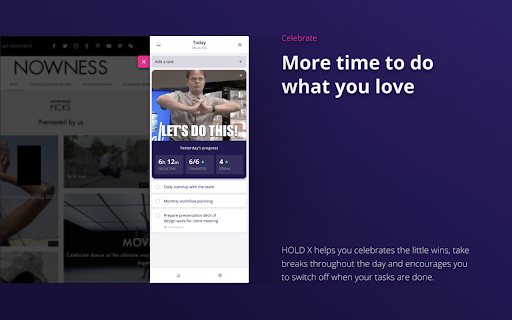
Unlock traction and find your productivity sweetspot.
The all-in-one productivity tool for people working from home: To-do list, distraction blocker and motivator.
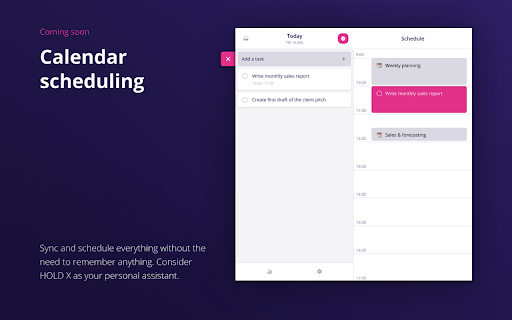
HOLD X is making productivity simple. With HOLD you can plan your day from within your browser and execute without distractions. Get started in 10 seconds, save up to two hours a day and never miss a deadline again.
HOW IT WORKS:
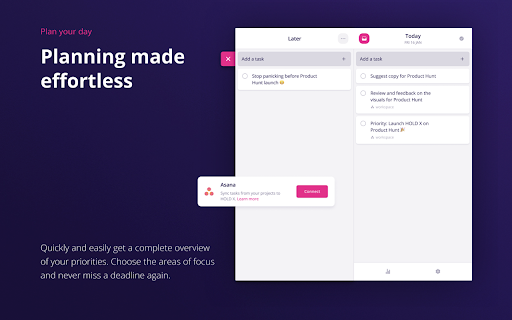
? Prioritise - Start by making a quick and simple plan for the day using the chrome extension widget. You could also sync the tasks from your Asana account.
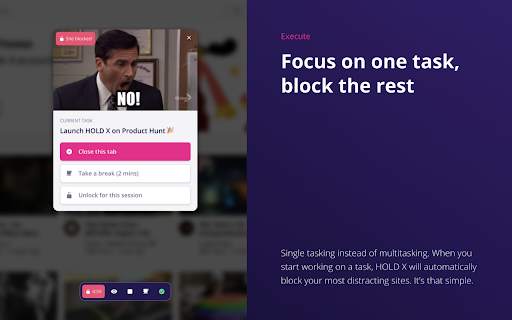
⏱ Focus - With the click of a button HOLD will block distraction across your chrome browser, allowing you to focus on the task at hand.
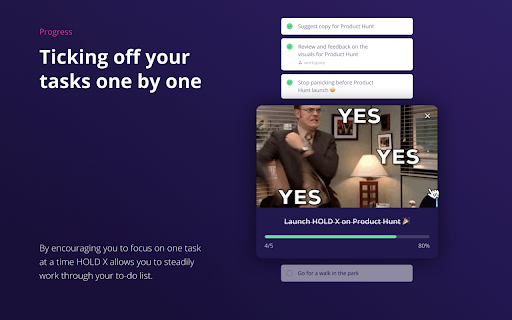
? Improve - HOLD X will learn from your behaviour and provide you with actionable feedback so you can improve your daily productivity and progress.
PRIVACY NOTE:
We don’t sell our user data. Ever. We monetize the product from users paying a subscription fee for the premium features. This is to ensure that we could continue to develop this product with the end-user in mind, supported by a sustainable and ethical business model.
Read our privacy terms here ? https://www.hold.app/privacy-policy-holdx
| 分类 | 📝工作流程与规划 |
| 插件标识 | dpddiodcmjekpbpmakkninbfojaklmgg |
| 平台 | Chrome |
| 评分 |
☆☆☆☆☆
|
| 评分人数 | |
| 插件主页 | https://chromewebstore.google.com/detail/hold-x/dpddiodcmjekpbpmakkninbfojaklmgg |
| 版本号 | 25.2.3.0 |
| 大小 | 7.41MiB |
| 官网下载次数 | 268 |
| 下载地址 | |
| 更新时间 | 2021-04-13 00:00:00 |
CRX扩展文件安装方法
第1步: 打开Chrome浏览器的扩展程序
第2步:
在地址栏输入: chrome://extensions/
第3步: 开启右上角的【开发者模式】
第4步: 重启Chrome浏览器 (重要操作)
第5步: 重新打开扩展程序管理界面
第6步: 将下载的crx文件直接拖入页面完成安装
注意:请确保使用最新版本的Chrome浏览器