
LeetCode Guardians Chrome 插件, crx 扩展下载
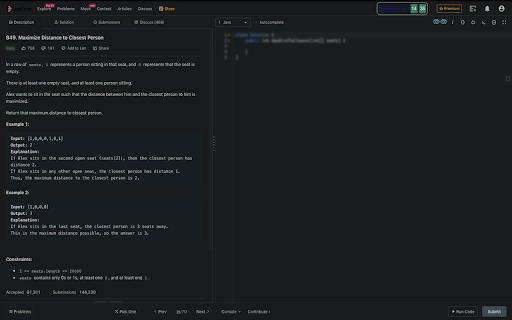
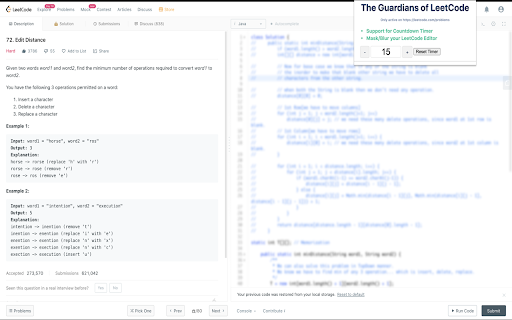
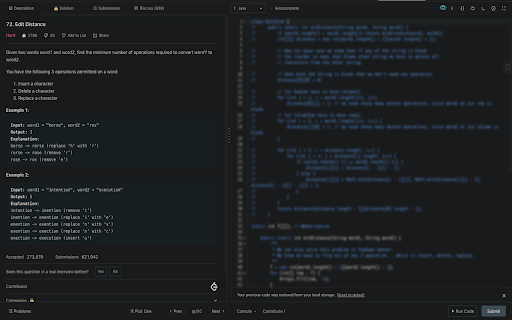
Boost ? LeetCode Productivity via Masking Code Editor, Problem difficulty and with a Countdown Timer Support
A Countdown Timer and Mask for Code Editor Solution and Problem Difficulty for LeetCode.
Stop that "Sneak into the Solution Craving" in yourself.
There must be a number of times, we land onto a leet-code problem which we have already solved but since the solution is right in front of us we quickly take a sneak-peek thinking we would be able to solve this without any trouble but all that is doing is increasing your reading skills,
This extension allows you to mask the code editor hiding the solutions so that you first think through the solution and then choose to take a sneak-peek
if you want. Also this extension provides a configurable count down timer to help you out in solving question within limited time frame and rings the bell as soon as the count down finishes.
How many times have you choked or given up on a Leet-code problem early only because it was tagged as "Hard"? This extension allows you to hide the difficulty level of problems so you can solve a problem like a Champ.
| 分类 | 📝工作流程与规划 |
| 插件标识 | dplnbhmaeeeicjoialabijogfencnllk |
| 平台 | Chrome |
| 评分 |
☆☆☆☆☆
|
| 评分人数 | |
| 插件主页 | https://chromewebstore.google.com/detail/leetcode-guardians/dplnbhmaeeeicjoialabijogfencnllk |
| 版本号 | 2.2.4 |
| 大小 | 308KiB |
| 官网下载次数 | 73 |
| 下载地址 | |
| 更新时间 | 2020-06-29 00:00:00 |
CRX扩展文件安装方法
第1步: 打开Chrome浏览器的扩展程序
第2步:
在地址栏输入: chrome://extensions/
第3步: 开启右上角的【开发者模式】
第4步: 重启Chrome浏览器 (重要操作)
第5步: 重新打开扩展程序管理界面
第6步: 将下载的crx文件直接拖入页面完成安装
注意:请确保使用最新版本的Chrome浏览器