
Image Blocker EX+ 9000 Chrome 插件, crx 扩展下载
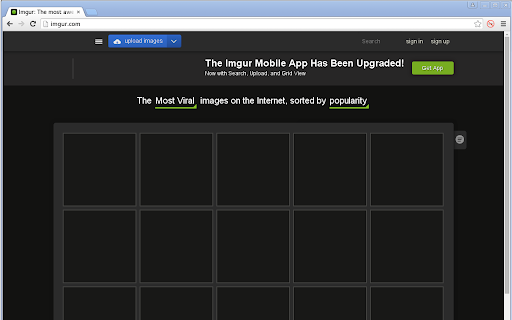
Ridiculously powerful and customizable image blocker
Prevent almost all images from downloading. Prevent the rest from being shown.
The toolbar button can disable permanently or temporarily. By default it is temporary.
Supports domain whitelisting and blacklisting. Pages on whitelisted domains will show images even if Image Blocker EX+ 9000 is enabled. Pages on blacklisted domains won't show images even if Image Blocker EX+ 9000 is disabled.
Pages without images may appear mangled; this is an unavoidable side-effect of not downloading the image. Some pages will declare the size of images, and then the browser can lay out the page properly even if the image is missing, but this isn't very common.
| 分类 | 📝工作流程与规划 |
| 插件标识 | eaabjlbddgjhjfplckkiglekpmonabcm |
| 平台 | Chrome |
| 评分 |
☆☆☆☆☆
|
| 评分人数 | |
| 插件主页 | https://chromewebstore.google.com/detail/image-blocker-ex+-9000/eaabjlbddgjhjfplckkiglekpmonabcm |
| 版本号 | 25.2.3.0 |
| 大小 | 496KiB |
| 官网下载次数 | 991 |
| 下载地址 | |
| 更新时间 | 2018-12-01 00:00:00 |
CRX扩展文件安装方法
第1步: 打开Chrome浏览器的扩展程序
第2步:
在地址栏输入: chrome://extensions/
第3步: 开启右上角的【开发者模式】
第4步: 重启Chrome浏览器 (重要操作)
第5步: 重新打开扩展程序管理界面
第6步: 将下载的crx文件直接拖入页面完成安装
注意:请确保使用最新版本的Chrome浏览器