
PLANOLY Uploader Chrome 插件, crx 扩展下载
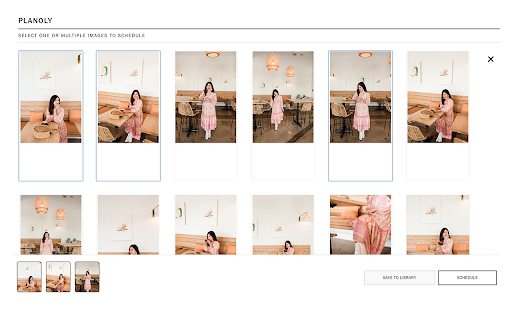
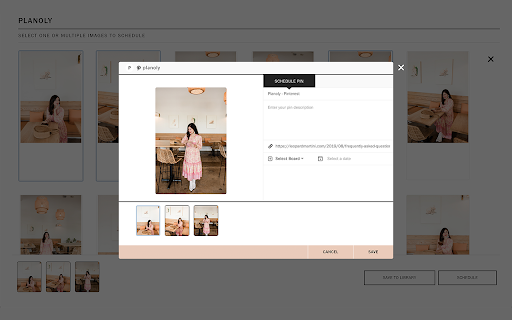

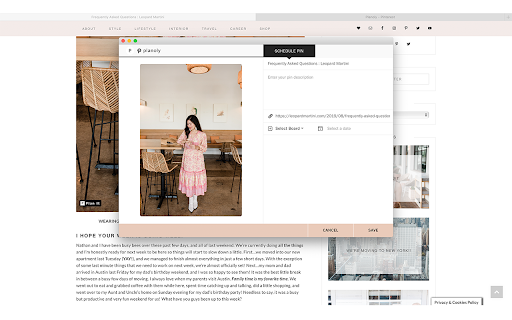
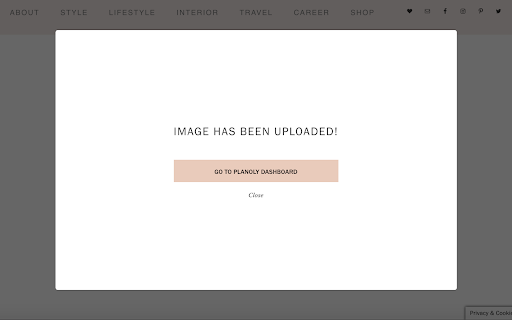
You can use this extension to upload content to your Planoly's Pin Planner and publish to Pinterest.
Planoly Uploader
What is Planoly?
Planoly is a visual planning tool that allows users to upload, plan, and curate content to publish on Instagram, Facebook, and Pinterest.
You can use this extension to upload your content to your Planoly’s Pin Planner and publish to Pinterest.
How can this extension help you:
Super fast way to quickly schedule content to your Pinterest account. Click on the “Plan it” icon on any image as you browse and upload to Planoly’s Pin Planner to plan immediately, or simply schedule for a future date.
Extension will pick up the web page title, and populate the Pin Title field, use any image description to populate the Pin Description field. You can select which board you want to post to, as well as the date and time.
If you do not wish to schedule, simply hit the “save” button, and the image will be saved to your library dashboard in Planoly’s Pin Planner.
Note:
To use this extension, you must have a Planoly account and log into it, as well as a working Pinterest account authenticated with Planoly.
www.planoly.com
| 分类 | 👥社交 |
| 插件标识 | ebpcimigfdcgmpaiboiipfkmceejkekp |
| 平台 | Chrome |
| 评分 |
☆☆☆☆☆
|
| 评分人数 | |
| 插件主页 | https://chromewebstore.google.com/detail/planoly-uploader/ebpcimigfdcgmpaiboiipfkmceejkekp |
| 版本号 | 3.128.4 |
| 大小 | 19.01KiB |
| 官网下载次数 | 3000 |
| 下载地址 | |
| 更新时间 | 2019-11-05 00:00:00 |
CRX扩展文件安装方法
第1步: 打开Chrome浏览器的扩展程序
第2步:
在地址栏输入: chrome://extensions/
第3步: 开启右上角的【开发者模式】
第4步: 重启Chrome浏览器 (重要操作)
第5步: 重新打开扩展程序管理界面
第6步: 将下载的crx文件直接拖入页面完成安装
注意:请确保使用最新版本的Chrome浏览器