
SAML Assertion to AWS STS Assumption Chrome 插件, crx 扩展下载
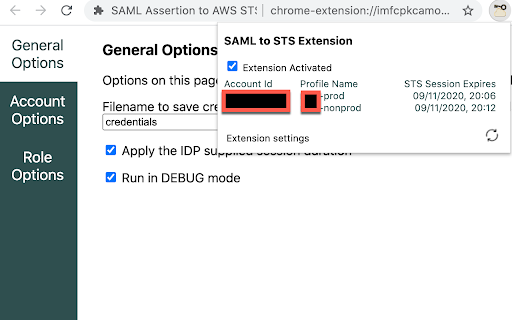
Assumes an STS role and produces usable session credentials for CLI tools from an intercepted SAML assertion
This extension allows you to extract credentials from a federated AWS console login so that you can use command line tools like terraform or AWSCLI.
For organisations using their corporate directory to control access to AWS console, this extension is essential to allow you to securely access AWS APIs with time based sessions without risking storing usernames and passwords.
Multiple accounts are supported, allowing you to use profile environment variables and command line parameters to access any account you are signed into.
Usage is simple - just sign into the console through your corporate directory and your temporary credentials will be saved to disk ready for use.
| 分类 | 💻开发者工具 |
| 插件标识 | ecjpilingnldmlmmdcbmalcfimomgief |
| 平台 | Chrome |
| 评分 |
☆☆☆☆☆
|
| 评分人数 | |
| 插件主页 | https://chromewebstore.google.com/detail/saml-assertion-to-aws-sts/ecjpilingnldmlmmdcbmalcfimomgief |
| 版本号 | 8.3 |
| 大小 | 154KiB |
| 官网下载次数 | 344 |
| 下载地址 | |
| 更新时间 | 2020-11-11 00:00:00 |
CRX扩展文件安装方法
第1步: 打开Chrome浏览器的扩展程序
第2步:
在地址栏输入: chrome://extensions/
第3步: 开启右上角的【开发者模式】
第4步: 重启Chrome浏览器 (重要操作)
第5步: 重新打开扩展程序管理界面
第6步: 将下载的crx文件直接拖入页面完成安装
注意:请确保使用最新版本的Chrome浏览器