
Skin Cancer Image Search Chrome 插件, crx 扩展下载
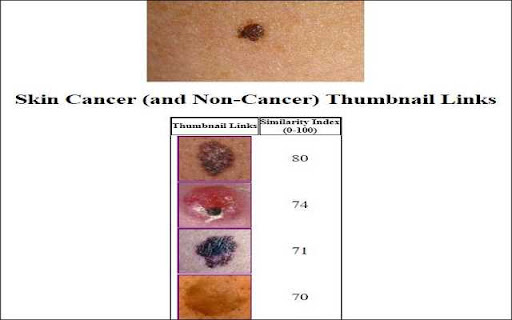
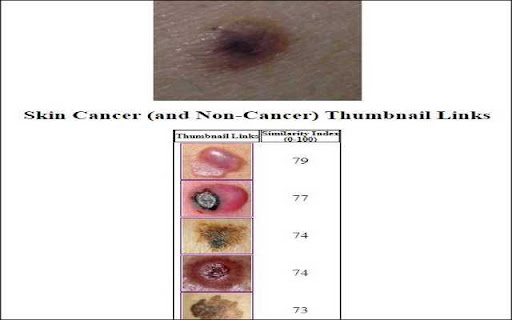
Find skin cancer images on the web that are the most visually similar to your mole or skin lesion.
With a click of a button, this Chrome extension provides links to skin cancer (and non-cancer) images that are most similar to your own mole. The software analyzes similarities between your mole image and 100s of skin lesion images on the Internet. The software then displays links to skin lesions that may be similar to your mole. Currently the software's database includes 100s of images from 16 skin cancer websites and databases.
The software requires a (free) activation code. After installing the Chrome extension in your browser please enter one of the activation codes below:
January: 1970648
February: 2957206
March: 3943764
April: 4930322
May: 5916880
June: 6903438
July: 7889996
August: 8876554
September: 9863112
October: 10849670
November: 11836228
December: 12822786
If you need help with the activation codes, please email us: [email protected]
| 分类 | 🛠️工具 |
| 插件标识 | edmpbiamnlgdichailkadlagmbklhbpk |
| 平台 | Chrome |
| 评分 |
☆☆☆☆☆
|
| 评分人数 | |
| 插件主页 | https://chromewebstore.google.com/detail/skin-cancer-image-search/edmpbiamnlgdichailkadlagmbklhbpk |
| 版本号 | 1.0.0.47 |
| 大小 | 920KiB |
| 官网下载次数 | 20 |
| 下载地址 | |
| 更新时间 | 2018-11-11 00:00:00 |
CRX扩展文件安装方法
第1步: 打开Chrome浏览器的扩展程序
第2步:
在地址栏输入: chrome://extensions/
第3步: 开启右上角的【开发者模式】
第4步: 重启Chrome浏览器 (重要操作)
第5步: 重新打开扩展程序管理界面
第6步: 将下载的crx文件直接拖入页面完成安装
注意:请确保使用最新版本的Chrome浏览器