
Loadium Recorder Chrome 插件, crx 扩展下载
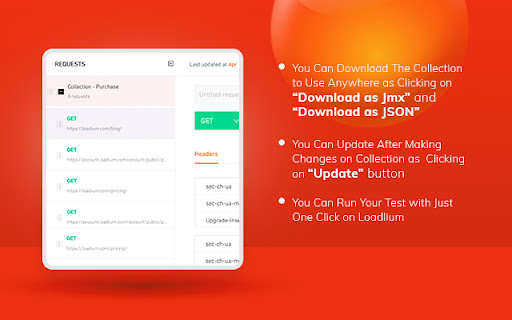
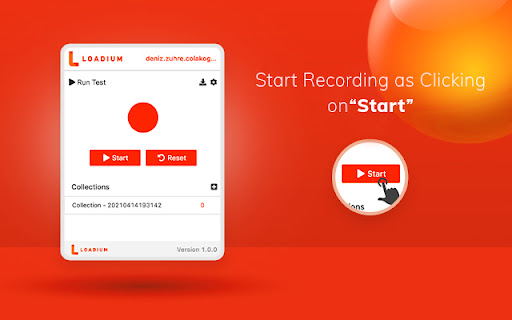
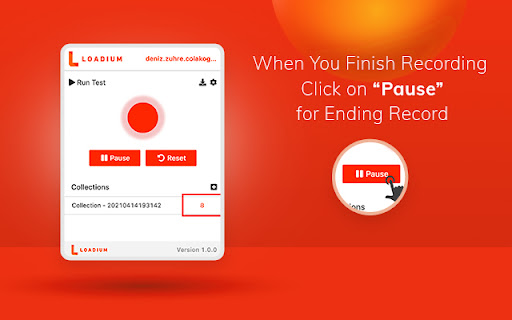
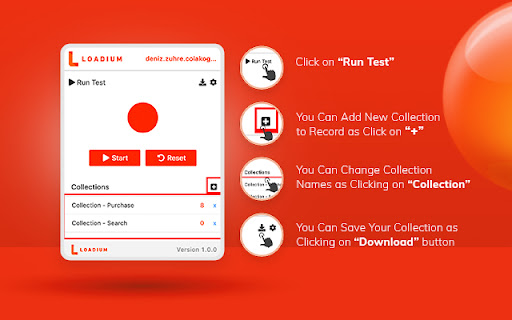

This extension helps Loadium users to write fast and better automate tests.
Loadium Record & Play helps Loadium users to write fast and better-automated load tests. You can easily record, browse, upload, edit and run.
The Chrome extension records all HTTP/S requests, creates synced JMeter scripts and automatically uploads them to Loadium as a collection, where you can edit and execute the collection with just a single click. In addition, collections can be used repeatedly by editing.
No need to know and install JMeter for recording and running your performance tests.
FEATURE
- 100% Compatible with Apache JMeter.
- Runing tests without test scripting applications
- Editing your tests both locally and via Loadium
- Recording all HTTP/S requests made by your browser.
- Adding transaction labels (for JMeter) during recording
- Saving your tests as both json and jmx so you can use them again later.
- Running API Functional Test
- Storing your tests on Loadium
REQUIREMENTS
- Recommended minimum Chrome version is 58
| 分类 | 💻开发者工具 |
| 插件标识 | eecaejegccegjjjngokgelmehfkmpico |
| 平台 | Chrome |
| 评分 |
☆☆☆☆☆
|
| 评分人数 | |
| 插件主页 | https://chromewebstore.google.com/detail/loadium-recorder/eecaejegccegjjjngokgelmehfkmpico |
| 版本号 | 8.3 |
| 大小 | 1.59MiB |
| 官网下载次数 | 512 |
| 下载地址 | |
| 更新时间 | 2024-10-17 00:00:00 |
CRX扩展文件安装方法
第1步: 打开Chrome浏览器的扩展程序
第2步:
在地址栏输入: chrome://extensions/
第3步: 开启右上角的【开发者模式】
第4步: 重启Chrome浏览器 (重要操作)
第5步: 重新打开扩展程序管理界面
第6步: 将下载的crx文件直接拖入页面完成安装
注意:请确保使用最新版本的Chrome浏览器