
BeanLogin Chrome 插件, crx 扩展下载
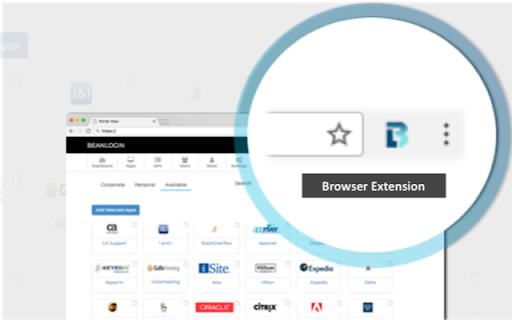
BeanLogin plugin
BeanLogin is the application that makes your life easier!!
Tired of the dreaded “Forgot Password”? Tired of storing 10+ variations of usernames and passwords in your brain (and forgetting them!!!)? So is everyone else! Today, the average person has 25 or more online accounts with associated usernames and passwords to remember, which most are keeping in an unsecure place. That’s where BeanLogin comes into play.
BeanLogin’s chrome extension provides a seamless browsing experience to its users by automatically logging them into their favorite websites. The solution is pre-integrated with popular business as well as personal applications like Office 365, Google Apps, GoTo Meeting, Facebook, Twitter, LinkedIn, Instagram and many more. As you login to your favorite website, BeanLogin saves your credentials to a secure vault that only you can access. The chrome extension then lets you login automatically to your saved accounts, seamlessly across all your devices.
For more information on BeanLogin, visit our website at https://www.beanlogin.com
| 分类 | 📝工作流程与规划 |
| 插件标识 | efajnkcfjjkcodbhkhaigkffdleomnag |
| 平台 | Chrome |
| 评分 |
☆☆☆☆☆
|
| 评分人数 | |
| 插件主页 | https://chromewebstore.google.com/detail/beanlogin/efajnkcfjjkcodbhkhaigkffdleomnag |
| 版本号 | 25.2.3.0 |
| 大小 | 510KiB |
| 官网下载次数 | 11 |
| 下载地址 | |
| 更新时间 | 2020-11-09 00:00:00 |
CRX扩展文件安装方法
第1步: 打开Chrome浏览器的扩展程序
第2步:
在地址栏输入: chrome://extensions/
第3步: 开启右上角的【开发者模式】
第4步: 重启Chrome浏览器 (重要操作)
第5步: 重新打开扩展程序管理界面
第6步: 将下载的crx文件直接拖入页面完成安装
注意:请确保使用最新版本的Chrome浏览器