
Tab Freezer Chrome 插件, crx 扩展下载
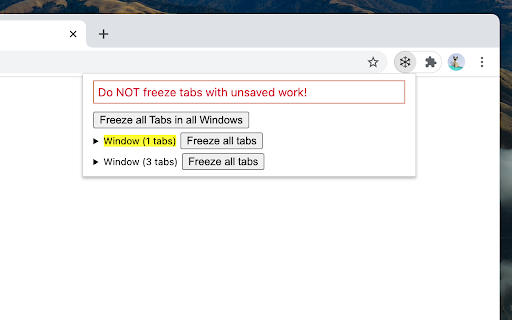
Save laptop battery and increase performance by freezing tabs.
Do you keep a lot of Chrome tabs open? Does your laptop sound like jet engine? Does it get hot enough to jeopardize your chances of having kids? Does your battery percentage reduce in front of your very eyes?
Use Tab Freezer to freeze tabs so they do not consume memory or cpu, enabling longer battery life and better performance. You get to keep all your window and tab organizations as is, not having to manage bookmarks or links, and can easily get back to paused work.
| 分类 | 📝工作流程与规划 |
| 插件标识 | efdchfhmomdehbbfkjcijgjnhihmebmn |
| 平台 | Chrome |
| 评分 |
☆☆☆☆☆
|
| 评分人数 | |
| 插件主页 | https://chromewebstore.google.com/detail/tab-freezer/efdchfhmomdehbbfkjcijgjnhihmebmn |
| 版本号 | 7.0.1 |
| 大小 | 10.06KiB |
| 官网下载次数 | 170 |
| 下载地址 | |
| 更新时间 | 2021-03-01 00:00:00 |
CRX扩展文件安装方法
第1步: 打开Chrome浏览器的扩展程序
第2步:
在地址栏输入: chrome://extensions/
第3步: 开启右上角的【开发者模式】
第4步: 重启Chrome浏览器 (重要操作)
第5步: 重新打开扩展程序管理界面
第6步: 将下载的crx文件直接拖入页面完成安装
注意:请确保使用最新版本的Chrome浏览器