
Plug X Chrome 插件, crx 扩展下载


Advanced features for Plug.DJ
Seamless integration allows you to supercharge Plug.DJ without scratching your head. Plug X offers the most features out of any extension on the market. The first and only extension on the market with fully implemented chat popout and emoji suggestions.
Features:
- Custom Chat Popout
- Private Messaging (Beta)
- Friends List
- AutoWoot
- Multiple Languages Supported
- AutoJoin (AutoQueue)
- Chrome Notifications
- Chat Emoji Suggestions
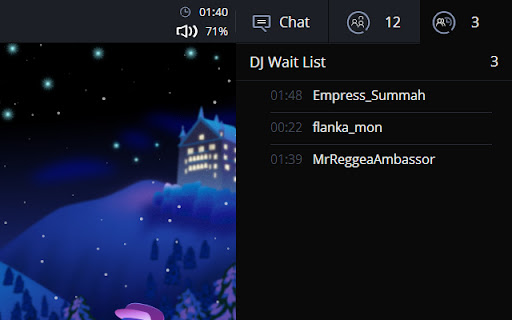
- Waitlist AFK Timers (w/ trigger settings)
- Current DJ AFK Time (On Hover)
- See Who Meh'd (Currently only available in popout chat)
- Hide Video Playback
- Custom Backgrounds (w/ uploading)
- Video Resizer
- Next DJ Alert
- Working Mention Sound
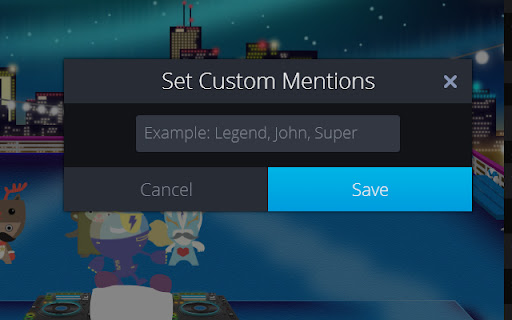
- Notification Keywords
- Inline Chat Images
- 'Unable to Play' Popup Blocker
- Enhanced UI
- Custom Commands
- Inline Chat Notifications
- Inline Chat Notification Custom Colors
- Audience/DJ Booth Opacity
- Re-played Song Alert (Song in history)
- Automute Songs (Accessible through commands)
- Custom Mention Sound (via URL)
- AFK Autorespond Message
- Video Opacity
- Spacebar Mute
- Chat Image Zoom
- Custom UI Colors
- Custom Chat Colors
- Custom Individual Username Colors
- Chat Nicknames
- GIF/Image Commands
Tip: Type '/commands' to display Plug X command list
Note: This extension is subject to breaking on Plug.DJ updates. I will do my best to update the extension asap when such an event occurs.
It is recommended to not run any other extensions for Plug.DJ alongside Plug X in order to avoid interference
Changelog has been moved to project website
http://skylerbeckman.com/Plug-X/
| 分类 | 📝工作流程与规划 |
| 插件标识 | effeahbhlcfhmgljedehdfjpkgmachjg |
| 平台 | Chrome |
| 评分 |
☆☆☆☆☆
|
| 评分人数 | |
| 插件主页 | https://chromewebstore.google.com/detail/plug-x/effeahbhlcfhmgljedehdfjpkgmachjg |
| 版本号 | 25.2.3.0 |
| 大小 | 620KiB |
| 官网下载次数 | 585 |
| 下载地址 | |
| 更新时间 | 2014-08-18 00:00:00 |
CRX扩展文件安装方法
第1步: 打开Chrome浏览器的扩展程序
第2步:
在地址栏输入: chrome://extensions/
第3步: 开启右上角的【开发者模式】
第4步: 重启Chrome浏览器 (重要操作)
第5步: 重新打开扩展程序管理界面
第6步: 将下载的crx文件直接拖入页面完成安装
注意:请确保使用最新版本的Chrome浏览器