
YouTube Sub Hider Chrome 插件, crx 扩展下载
Extension that hides specified subscriptions
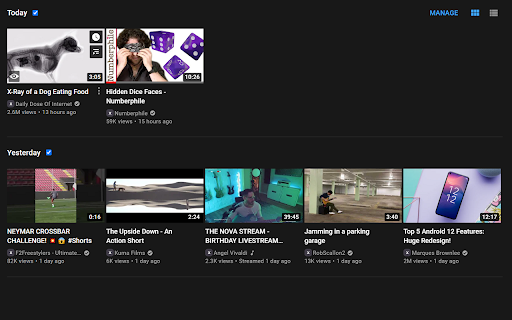
Simple extension that hides specified YouTube channels from your subscriptions page.
Maybe a channel has recently filled your feed with videos you aren't interested in. Maybe a channel started posting a video series you aren't interested in, but you want to remain subscribed for future content. This extension let's you toggle a channel's videos from appearing in your subscription feed without unsubscribing from the channel.
Features:
-"Hide" button next to the channel name on each video
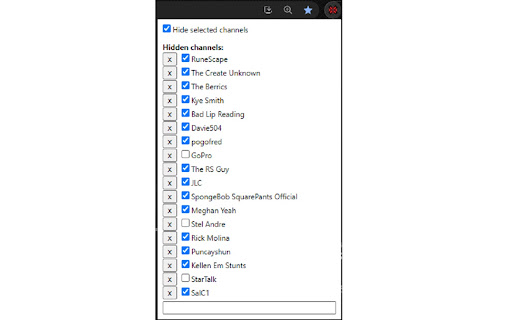
-Popup menu that allows you to enter channels to hide manually, toggle whether a hidden channel is enabled, remove channels that have been hidden, and toggle the extension altogether.
-Saves channel data to your browser for persistence between sessions
-Continues hiding specified channels as you scroll through your subscription feed
Source code: https://github.com/bggrund/YouTubeSubHider
| 分类 | 🛠️工具 |
| 插件标识 | egehbpolcfiodjjnkmlpfegegpogcefm |
| 平台 | Chrome |
| 评分 |
☆☆☆☆☆
|
| 评分人数 | |
| 插件主页 | https://chromewebstore.google.com/detail/youtube-sub-hider/egehbpolcfiodjjnkmlpfegegpogcefm |
| 版本号 | 1.0.5 |
| 大小 | 13.05KiB |
| 官网下载次数 | 134 |
| 下载地址 | |
| 更新时间 | 2023-06-12 00:00:00 |
CRX扩展文件安装方法
第1步: 打开Chrome浏览器的扩展程序
第2步:
在地址栏输入: chrome://extensions/
第3步: 开启右上角的【开发者模式】
第4步: 重启Chrome浏览器 (重要操作)
第5步: 重新打开扩展程序管理界面
第6步: 将下载的crx文件直接拖入页面完成安装
注意:请确保使用最新版本的Chrome浏览器