
ThinPrint Cloud Extension Chrome 插件, crx 扩展下载
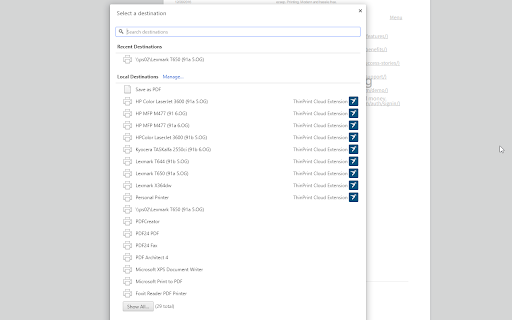
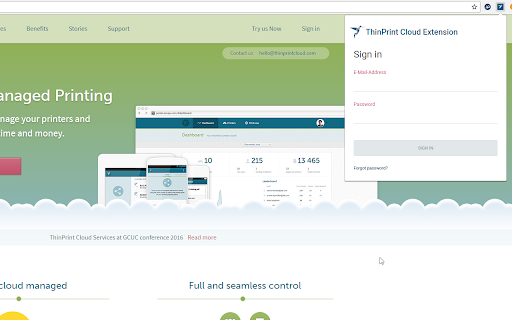
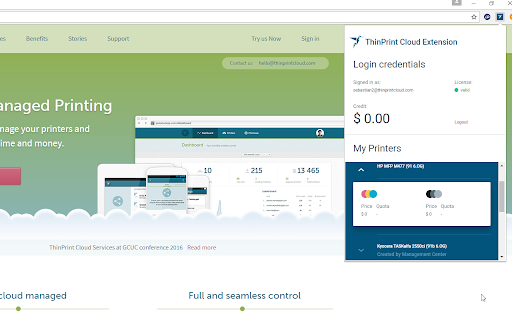
Extension to print from your chrome book by using your Ezeep-Account
ezeep by ThinPrint is the most intuitive and beautiful way to print from your Chromebook. If you’re at an organization or location that already has ezeep, download the extension to start printing.
To setup ezeep at your organization, to connect any printer, and share it wirelessly with your users and your team please go to www.ezeep.com and learn more.
Key benefits:
· Print directly from your Chromebook to any ezeep enabled printer
· Connect any printers without hardware, drivers or software
Features:
· Print files and documents from your favorite services such as Dropbox, Box, Evernote, and Mail
· Supports all popular file types including PDF, Microsoft Office® documents, and Open Office® documents
· Simple and intuitive interface - the way printing should be
· Offer mobile printing to customers at your business - perfect for universities, business centers, coworking spaces and startups
| 分类 | 📝工作流程与规划 |
| 插件标识 | eghabmmdjmfhajonjhglaakpnhhfibde |
| 平台 | Chrome |
| 评分 |
☆☆☆☆☆
|
| 评分人数 | |
| 插件主页 | https://chromewebstore.google.com/detail/thinprint-cloud-extension/eghabmmdjmfhajonjhglaakpnhhfibde |
| 版本号 | 25.2.3.0 |
| 大小 | 177KiB |
| 官网下载次数 | 1000 |
| 下载地址 | |
| 更新时间 | 2022-07-04 00:00:00 |
CRX扩展文件安装方法
第1步: 打开Chrome浏览器的扩展程序
第2步:
在地址栏输入: chrome://extensions/
第3步: 开启右上角的【开发者模式】
第4步: 重启Chrome浏览器 (重要操作)
第5步: 重新打开扩展程序管理界面
第6步: 将下载的crx文件直接拖入页面完成安装
注意:请确保使用最新版本的Chrome浏览器