
URL Scheme Linker Chrome 插件, crx 扩展下载
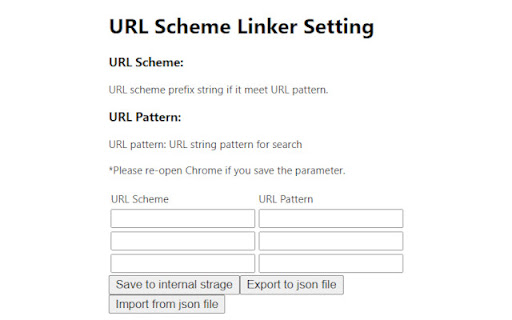
This extension link HTTP URL to the software installed in your PC via URL scheme.
You can execute the software when URL is matched…
This extension link HTTP URL to the software installed in your PC via URL scheme.
You can execute the software when URL is matched to the setting pattern.
Until now, you have to download a file temporary and execute any software, open that file manually.
But from now, this extension link to the software and execute automatically.
(of cause, this extension confirm your intension before the software execution)
You can freely choice the setting pattern or URL scheme name.
And, you can customize those setting.
This extension prepare the function that the setting export / import to the file.
so, you can have the setting file as buck up.
=====
Ver. 1.2: Close the active tab in sync thread
Ver. 1.1: Bug fix
Ver. 1.0: Initial release
| 分类 | 📝工作流程与规划 |
| 插件标识 | ehjbohgjfoinhghcffmamlieahbfkkmi |
| 平台 | Chrome |
| 评分 |
☆☆☆☆☆
|
| 评分人数 | |
| 插件主页 | https://chromewebstore.google.com/detail/url-scheme-linker/ehjbohgjfoinhghcffmamlieahbfkkmi |
| 版本号 | 25.2.3.0 |
| 大小 | 181KiB |
| 官网下载次数 | 26 |
| 下载地址 | |
| 更新时间 | 2021-07-14 00:00:00 |
CRX扩展文件安装方法
第1步: 打开Chrome浏览器的扩展程序
第2步:
在地址栏输入: chrome://extensions/
第3步: 开启右上角的【开发者模式】
第4步: 重启Chrome浏览器 (重要操作)
第5步: 重新打开扩展程序管理界面
第6步: 将下载的crx文件直接拖入页面完成安装
注意:请确保使用最新版本的Chrome浏览器