
Trello Pluso Chrome 插件, crx 扩展下载

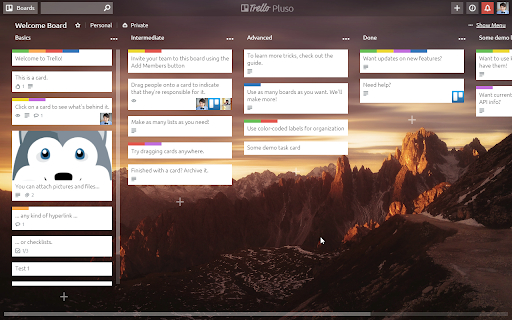
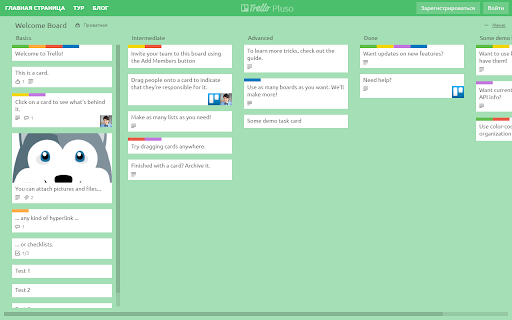

It's modern and clean style for Trello. And not only.
No rounded borders, no bold fonts, no gradients, no text shadows, no pain,…
It's modern and clean style for Trello. And not only.
No rounded borders, no bold fonts, no gradients, no text shadows, no pain, we love simplicity ♥
Changelog:
1.1.2
* Card window: Position of sidebar with buttons was fixed. Closes #11.
* General: Fixed invisible buttons on elements with light background while board has dark background. Closes #14.
1.1.1
* Cards sticking while dragging fixed.
* Solid colored backgrounds must be always on the dark side.
1.1
+ Added an ability to set custom opacity of columns. Just try to type “#opacity50” in column title.
* Some style fixes and improvements.
* Redesigned for images on background.
1.0.3
* Add shadow.
* Small style fixes.
1.0.2
* Small style fixes.
1.0.1
* Fixed typeface issues.
| 分类 | 📝工作流程与规划 |
| 插件标识 | ehmockgijbbbifdeblkjbjejghlmclco |
| 平台 | Chrome |
| 评分 |
☆☆☆☆☆
|
| 评分人数 | |
| 插件主页 | https://chromewebstore.google.com/detail/trello-pluso/ehmockgijbbbifdeblkjbjejghlmclco |
| 版本号 | 25.2.3.0 |
| 大小 | 735KiB |
| 官网下载次数 | 135 |
| 下载地址 | |
| 更新时间 | 2019-03-08 00:00:00 |
CRX扩展文件安装方法
第1步: 打开Chrome浏览器的扩展程序
第2步:
在地址栏输入: chrome://extensions/
第3步: 开启右上角的【开发者模式】
第4步: 重启Chrome浏览器 (重要操作)
第5步: 重新打开扩展程序管理界面
第6步: 将下载的crx文件直接拖入页面完成安装
注意:请确保使用最新版本的Chrome浏览器