
SpanD Chrome 插件, crx 扩展下载
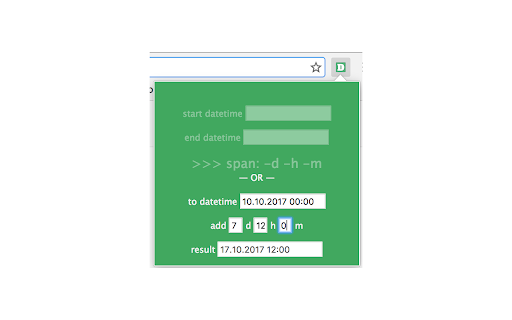
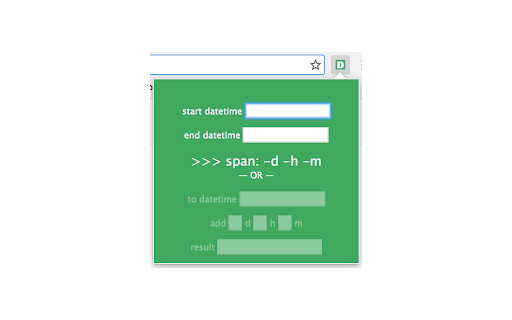
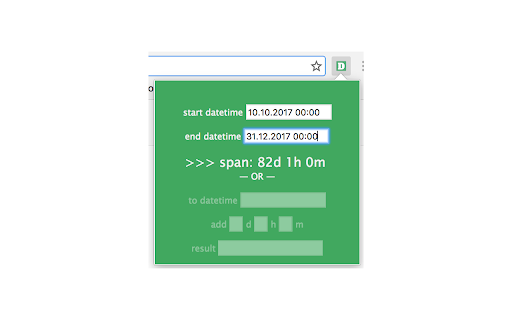
Calculates span between two datetimes; or calculates the datetime in specified days and hours.
NB! This is a dead project! It's not supported anymore, so there is no guarantee that it will work on latest browser's versions.
SpanD - Span Of Datetimes
Extension is build for software testers to calculate span or differences between two dates.
Useful tool for software testers or developers who need to test span between datetimes. For example, if software should automatically calculate next datetime in specified amount of dates.
Extension can be used completely without a mouse! Enter key calculates the span or the next date.
Useful to know:
* Format for date input is european DD.MM.YYYY (days first, not months).
* Regexps for inserting datetimes:
/([0,1,2,3]?[0-9])[\., \,, \-, \/]?([0,1,2][0-9])[\., \,, \-, \/]?([1,2][0-9][0-9][0-9])\s([0,1,2][0-9])[:, \., \,, \-]?([0,1,2,3,4,5][0-9])/;
So 31.02.2010, 31022010, 31/02/2010, 31-02-2010 will work.
* Works with negative values! For example, add -1 days to 02.10.2013 will be 01.10.2013. Or span between 4.10.2010 and 1.10.2010 will be -3.
* Hot keys:
- Arrow Down key in the upper block field sets focus on the bottom block
- Arrow Down key in the bottom section sets focus on the second line
- Arrow Up key in the bottom block field sets focus on the upper block
- Arrow Up key in the upper section sets focus on the first line
- Arrow Right key sets focus on the right field (if there is one)
- Arrow Left key sets focus on the left field (if there is one)
Tip: You can configure hot-keys for extension in the Google Chrome:
* open the extensions tab - chrome://extensions/;
* Link "Configure commands" at the bottom;
* Choose an extension and type a shortcut.
Now You can use it completely without a mouse!
GitLab repo - https://gitlab.com/irina-ivanova-extensions/spanD
| 分类 | 💻开发者工具 |
| 插件标识 | eifmojfjlkacjfnaeagfnfjgpajanphn |
| 平台 | Chrome |
| 评分 |
☆☆☆☆☆
|
| 评分人数 | |
| 插件主页 | https://chromewebstore.google.com/detail/spand/eifmojfjlkacjfnaeagfnfjgpajanphn |
| 版本号 | 2.0 |
| 大小 | 11.56KiB |
| 官网下载次数 | 24 |
| 下载地址 | |
| 更新时间 | 2019-11-04 00:00:00 |
CRX扩展文件安装方法
第1步: 打开Chrome浏览器的扩展程序
第2步:
在地址栏输入: chrome://extensions/
第3步: 开启右上角的【开发者模式】
第4步: 重启Chrome浏览器 (重要操作)
第5步: 重新打开扩展程序管理界面
第6步: 将下载的crx文件直接拖入页面完成安装
注意:请确保使用最新版本的Chrome浏览器