
AutoplayStopper Chrome 插件, crx 扩展下载


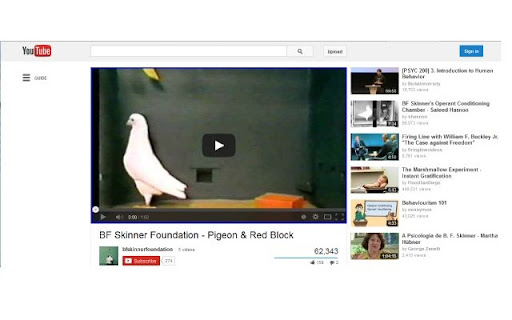
Stops video autoplay gracefully.
Make video players (flash & html5) show video thumbnail instead of autoplaying…
IMPORTANT NOTICE: some video conferencing sites will only work if they are allowed to autoplay...
If videos still autoplay try enabling proactive blocking for the site by either
Clicking the 'Allow autoplay for...' menuitem until it's highlighted dark red.
Adding 'Block (shadow)' autoplay exception for the site from the settings.
Features:
• Allow autoplay for websites
• Enable proactive blocking for websites
Stop media autoplay in shadow dom (performance impact)
• Allow session autoplay for websites
Stop only first autoplay for a continuous session in the website (for video sites like Dailymotion)
• Disable flash detection for websites
Force sites to use their html5 player which can always be stopped.
• Quick add-on enable/disable (left-dblclick)
• Play/Pause context menu item will show for covered video elements (ctrl+right-click to ensure default context)
Release Notes:
¯¯¯¯¯¯¯¯¯¯¯¯¯¯
Version 1.9.8.1 10/9/2023
• Fixed popup menu.
Version 1.9.8 7/12/2022
• Fixed shadow for msn.
Version 1.9.7 6/9/2022
• Fixed context menu & popup.
Version 1.9.6 13/7/2022
• Added proactive blocking.
Version 1.9.5 25/2/2022
• Added exceptions import/export.
Version 1.9.4 26/7/2021
• tweaks...
Version 1.9.3 1/6/2021
• Improved jwplayer handling.
Version 1.9.1 14/3/2021
• Improved youtube handling.
Version 1.9.0 23/2/2021
• Added keyboard activation.
• Improved youtube handling.
• Improved site permissions interaction.
Version 1.8.7 30/1/2021
• Added deep nodes handling.
Version 1.8.5 17/1/2021
• Added strict blocking mode.
• Improved play rejection.
| 分类 | ⚙️功能性 |
| 插件标识 | ejddcgojdblidajhngkogefpkknnebdh |
| 平台 | Chrome |
| 评分 |
☆☆☆☆☆
|
| 评分人数 | |
| 插件主页 | https://chromewebstore.google.com/detail/autoplaystopper/ejddcgojdblidajhngkogefpkknnebdh |
| 版本号 | 1.9.8.1 |
| 大小 | 48.49KiB |
| 官网下载次数 | 100000 |
| 下载地址 | |
| 更新时间 | 2023-09-10 00:00:00 |
CRX扩展文件安装方法
第1步: 打开Chrome浏览器的扩展程序
第2步:
在地址栏输入: chrome://extensions/
第3步: 开启右上角的【开发者模式】
第4步: 重启Chrome浏览器 (重要操作)
第5步: 重新打开扩展程序管理界面
第6步: 将下载的crx文件直接拖入页面完成安装
注意:请确保使用最新版本的Chrome浏览器