
mySpires Chrome 插件, crx 扩展下载

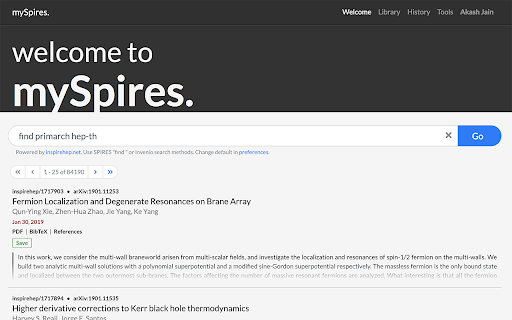
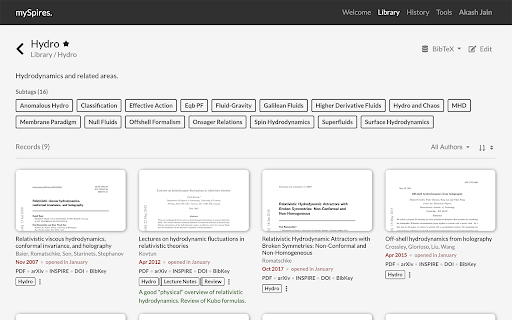

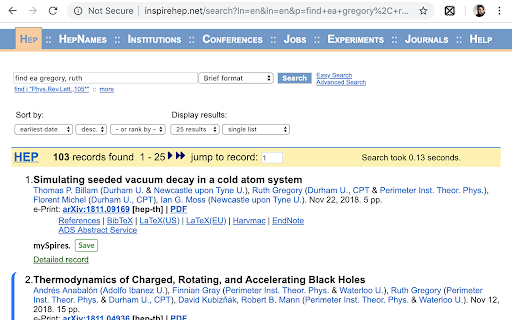
An unofficial assistant for INSPIRE, arXiv, and NASA/ADS.
mySpires is a free, light-weight, and completely browser-implemented reference management system. It keeps track of your references while you focus on writing your research papers, dissertations, theses, or are just on a literature hunt for your next groundbreaking idea.
There are a bunch of bibliography management systems out there catering to researchers, but quite often you need to go out of your way to an independent software or website to add to or maintain your database. This is where mySpires is different. mySpires integrates your reference library directly to your browser for a seamless experience. You never have to leave your browser or go to a dedicated website, or even click on a popup most of the times, to keep track of your literature survey.
mySpires does this magic via this browser plugin. Whenever you visit inspirehep.net, arxiv.org, or ui.adsabs.harvard.edu, the plugin adds a small snippet to the page that allows you to add or modify a record in your library without ever having to interrupt your workflow. If you choose to, you can take it a step further and ask mySpires to keep a history of the references you visit. You can revisit your history later at any time and save the records that you found were helpful.
mySpires maintains a BibTeX database for you of all the records that you add to your library. If you are into automation, you can link your Dropbox account and mySpires will keep an up-to-date copy of your BibTeX database in your Dropbox folder. You can refer to this file in your TeX projects, or better yet, symlink it to your texmf folder. Possibilities are endless.
| 分类 | 📝工作流程与规划 |
| 插件标识 | ejidfomdndeogeipjkjigaeaeohbgcpf |
| 平台 | Chrome |
| 评分 |
☆☆☆☆☆
|
| 评分人数 | |
| 插件主页 | https://chromewebstore.google.com/detail/myspires/ejidfomdndeogeipjkjigaeaeohbgcpf |
| 版本号 | 25.2.3.0 |
| 大小 | 1.01MiB |
| 官网下载次数 | 25 |
| 下载地址 | |
| 更新时间 | 2023-11-22 00:00:00 |
CRX扩展文件安装方法
第1步: 打开Chrome浏览器的扩展程序
第2步:
在地址栏输入: chrome://extensions/
第3步: 开启右上角的【开发者模式】
第4步: 重启Chrome浏览器 (重要操作)
第5步: 重新打开扩展程序管理界面
第6步: 将下载的crx文件直接拖入页面完成安装
注意:请确保使用最新版本的Chrome浏览器