
Window Namer and Restorer BETA Chrome 插件, crx 扩展下载
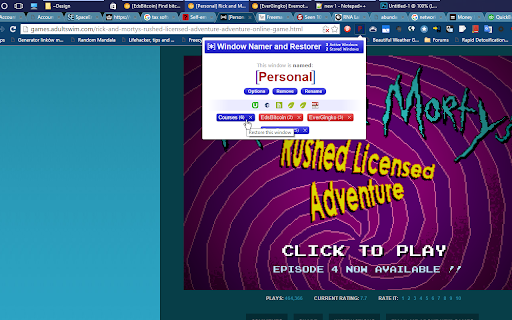
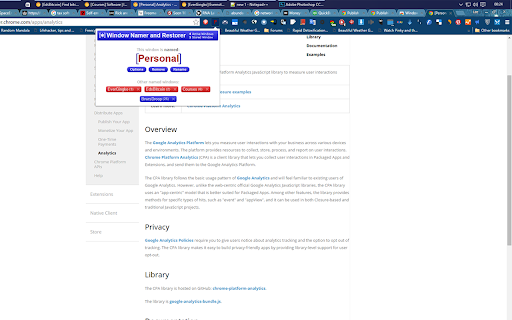
Give your chrome windows a name and restore from previous sessions.
Do you sometimes have multiple Chrome windows open and find that it takes a moment to remember or figure out which window houses which tab?
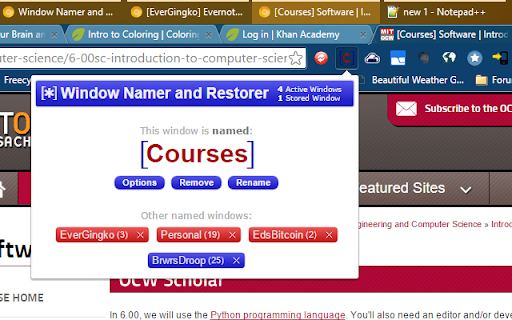
With this extension you can name your browsing windows! Your custom name will appear in square parenthesis at the beginning of the active tab in each window so you can quickly and easily see which window is which!
This extension also automatically saves the state of any named windows, so if you close one, you can open it back up again easily with just two clicks.
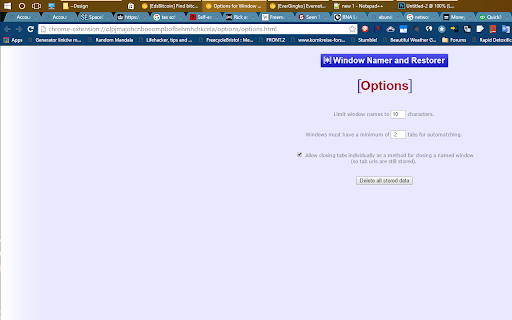
Check the options page for customizable parameters.
This extension is currently in Beta, so there may be times when it doesn't quite function as expected. Whilst it is expected not to have any major faults and generally function correctly, this extension is currently provided as-is and for testing or experimental purposes only. Please do not use unless you are happy with this. New Apeiron accepts no responsibility for loss of data or other damage caused by the use of this extension.
Please note:
Chrome-specific tabs (such as chrome://history/ etc) are fixed so that they cannot be renamed. This means that this extension will not work for that window, when such tabs are selected. However, the prefix will be restored once another tab is selected.
There are some other Google pages which also have this effect and sometimes, you may come across a webpage which renames the page itself. Please let us know when you find these if they are commonly used webpages and not part of the Google or Chrome domain.
| 分类 | 📝工作流程与规划 |
| 插件标识 | elgojbkcijgcpojlfhhmjnclgkofmiha |
| 平台 | Chrome |
| 评分 |
☆☆☆☆☆
|
| 评分人数 | |
| 插件主页 | https://chromewebstore.google.com/detail/window-namer-and-restorer/elgojbkcijgcpojlfhhmjnclgkofmiha |
| 版本号 | 25.2.3.0 |
| 大小 | 96.12KiB |
| 官网下载次数 | 359 |
| 下载地址 | |
| 更新时间 | 2015-09-22 00:00:00 |
CRX扩展文件安装方法
第1步: 打开Chrome浏览器的扩展程序
第2步:
在地址栏输入: chrome://extensions/
第3步: 开启右上角的【开发者模式】
第4步: 重启Chrome浏览器 (重要操作)
第5步: 重新打开扩展程序管理界面
第6步: 将下载的crx文件直接拖入页面完成安装
注意:请确保使用最新版本的Chrome浏览器