
ScribeFire Chrome 插件, crx 扩展下载
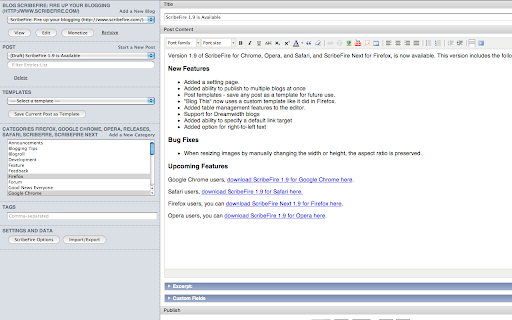
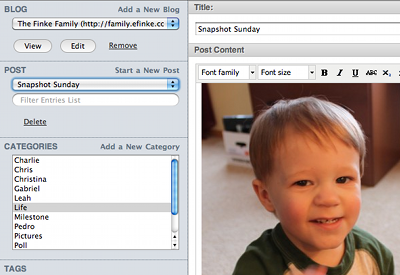
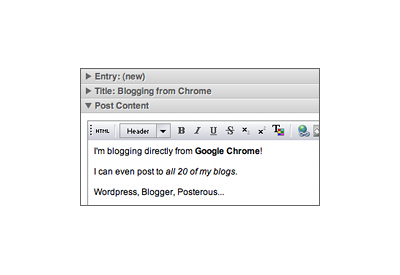
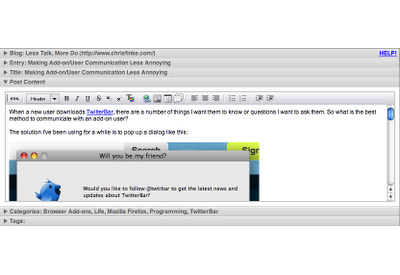
An easy-to-use blog editor lets you post to all of your blogs.
One of the most popular add-ons for Firefox is now available for Chrome! ScribeFire is a full-featured blog editor that integrates with your browser and lets you easily post to all of your blogs.
You can post to blogs from Wordpress, Blogger, TypePad, Windows Live Spaces, Xanga, LiveJournal, or any other blog that supports the MetaWeblog or MovableType APIs.
You can edit and update existing posts. You can schedule posts for the future (if your blog allows that). You can delete posts. You can save drafts. You can tag and categorize. You can upload images. You can edit visually, or you can use HTML or Markdown. You can post to multiple blogs at once.
ScribeFire for Chrome has a simple interface that is so simple even a caveman could use it, and anything you're working on is saved if you close the editor and restored when you come back. It really is the easiest way to update your blog.
| 分类 | 👥社交 |
| 插件标识 | elkkomimknapgodalnkjeddkjnjkfmfp |
| 平台 | Chrome |
| 评分 |
☆☆☆☆☆
|
| 评分人数 | |
| 插件主页 | https://chromewebstore.google.com/detail/scribefire/elkkomimknapgodalnkjeddkjnjkfmfp |
| 版本号 | 3.128.4 |
| 大小 | 938KiB |
| 官网下载次数 | 8000 |
| 下载地址 | |
| 更新时间 | 2014-07-11 00:00:00 |
CRX扩展文件安装方法
第1步: 打开Chrome浏览器的扩展程序
第2步:
在地址栏输入: chrome://extensions/
第3步: 开启右上角的【开发者模式】
第4步: 重启Chrome浏览器 (重要操作)
第5步: 重新打开扩展程序管理界面
第6步: 将下载的crx文件直接拖入页面完成安装
注意:请确保使用最新版本的Chrome浏览器