
Axle: New Tab Dashboard & Bookmark Manager Chrome 插件, crx 扩展下载
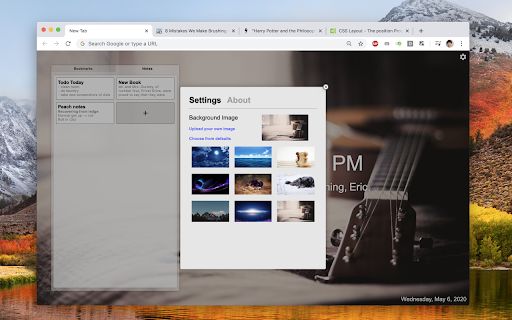
Transform your new tab page into a beautiful customizable dashboard and easy-to-use bookmark manager.
Say hello to your new beautiful new tab page! Axle is a bookmark manager that also transforms your new tab page into your personal landing and takeoff spot for Google Chrome. It has been carefully designed to be simple, clean, and easy to use. Give it a spin!
Features:
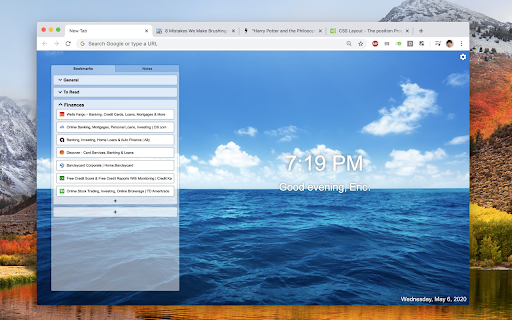
• Create, edit, and re-order bookmarks on your New Tab page.
• Organize your bookmarks into folders.
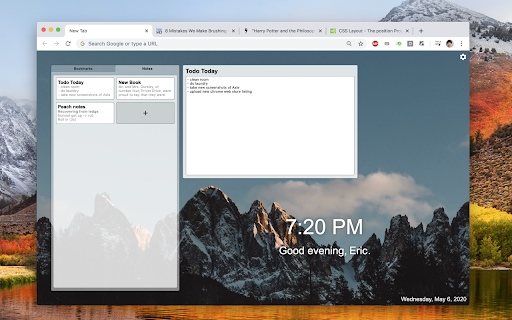
• Take notes.
• Customize your background image.
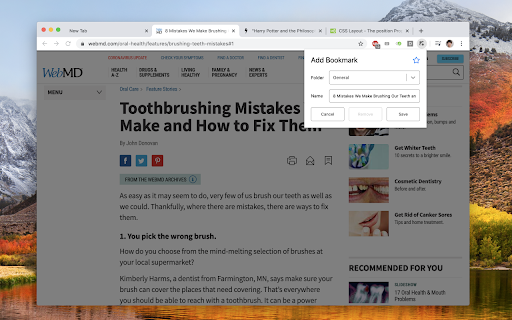
• Quickly add a bookmark from any web page.
Questions / suggestions / comments / anything else?
• I'd love to hear from you! Feel free to leave a comment under "Reviews" or "Support", or email me directly at [email protected].
About the Permissions:
We do *not* collect any personal information or data you store within Axle.
?Replace the page you see when opening a new tab
• This is why you installed this chrome extension, right? :)
?Read your browsing history
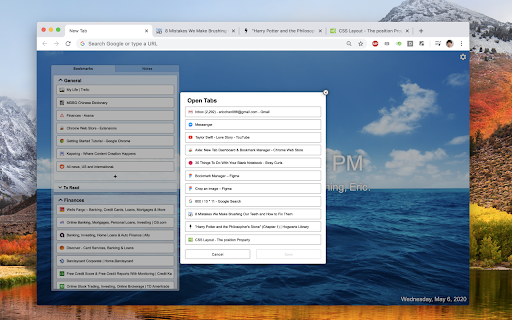
• This is required to fetch information about the tabs you have currently open, so you can conveniently add bookmarks from the new tab page.
• How is this related to browsing history? Being able to see which tabs you have open means we can theoretically save all of your tab information all the time, so we could theoretically begin recording your browsing history. But rest assured, we don't!
| 分类 | 📝工作流程与规划 |
| 插件标识 | emdkiniaoljcedckfnpmpgbpdophfmdk |
| 平台 | Chrome |
| 评分 |
☆☆☆☆☆
|
| 评分人数 | |
| 插件主页 | https://chromewebstore.google.com/detail/axle-new-tab-dashboard-bo/emdkiniaoljcedckfnpmpgbpdophfmdk |
| 版本号 | 1.1.9 |
| 大小 | 13.15MiB |
| 官网下载次数 | 83 |
| 下载地址 | |
| 更新时间 | 2020-05-17 00:00:00 |
CRX扩展文件安装方法
第1步: 打开Chrome浏览器的扩展程序
第2步:
在地址栏输入: chrome://extensions/
第3步: 开启右上角的【开发者模式】
第4步: 重启Chrome浏览器 (重要操作)
第5步: 重新打开扩展程序管理界面
第6步: 将下载的crx文件直接拖入页面完成安装
注意:请确保使用最新版本的Chrome浏览器