
Reply Ninja Chrome 插件, crx 扩展下载


Add instant, inline replies to Gmail
Stop wasting time formatting replies!
With reply.ninja, you just:
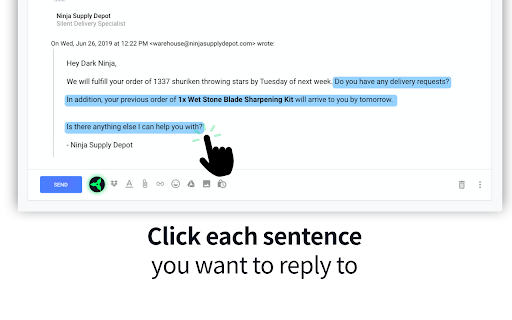
1. ☝️Click the text you want to reply to
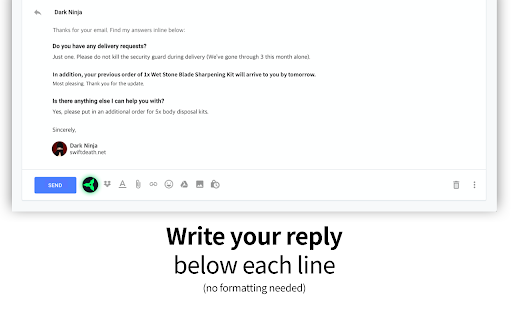
2. ?Type your reply underneath it
3. ?Hit the send button
Works on any Gmail account accessed in Chrome or Firefox.
?UPDATE:
- New UI released! Thanks for your poll votes on ProductHunt
- Now available on Firefox!
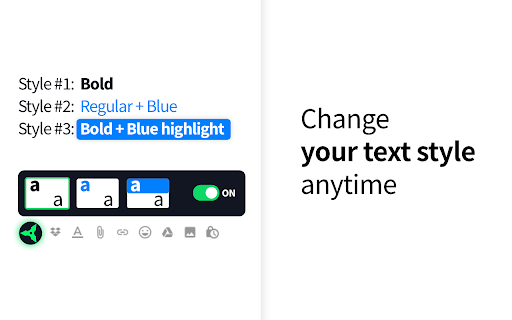
- Three text style options
- Supports all major languages
- Easily turn it off to copy/paste text
We do NOT track or collect any information from our users.
| 分类 | 📝工作流程与规划 |
| 插件标识 | emhaoogbfmegmgmcdenlgdohlloflgij |
| 平台 | Chrome |
| 评分 |
☆☆☆☆☆
|
| 评分人数 | |
| 插件主页 | https://chromewebstore.google.com/detail/reply-ninja/emhaoogbfmegmgmcdenlgdohlloflgij |
| 版本号 | 25.2.3.0 |
| 大小 | 500KiB |
| 官网下载次数 | 148 |
| 下载地址 | |
| 更新时间 | 2019-10-13 00:00:00 |
CRX扩展文件安装方法
第1步: 打开Chrome浏览器的扩展程序
第2步:
在地址栏输入: chrome://extensions/
第3步: 开启右上角的【开发者模式】
第4步: 重启Chrome浏览器 (重要操作)
第5步: 重新打开扩展程序管理界面
第6步: 将下载的crx文件直接拖入页面完成安装
注意:请确保使用最新版本的Chrome浏览器