
APEX Page Designer Tab Lock - Explorer UK Chrome 插件, crx 扩展下载
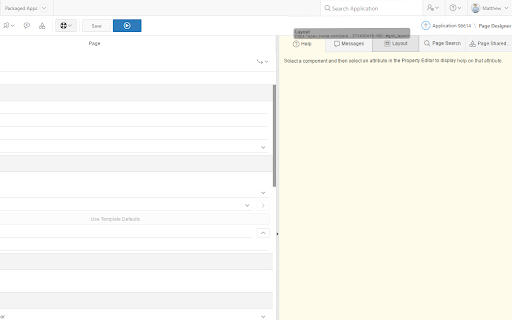
APEX Page Designer & Developer Toolbar Enhancer By @matt_mulvaney @Explorerukltd
APEX Page Designer & Developer Toolbar Enhancer By @matt_mulvaney @Explorerukltd
IMPROVEMENT: Version 20.1.1 Support for APEX 20.1 includes support for Friendly URLs and Inline Popup LOVs
NEW FEATURE: Version 19.1.10 Enhancements to Code Editor and Debugger
NEW FEATURE: Version 18.1.5 Revealer Developer Bar button to reveal and categorise Page Items, hidden or otherwise, within your application page
NEW FEATURE: Version 1.4.0 CTRL+Double-Click on a Text Item to rotate cases and addition of APEX Bookmarks/Shortcuts
NEW FEATURE: Version 1.3.3 Support for APEX 18.1 including restoration of APEX 5.1 style keyboard shortcuts
NEW FEATURE: Version 1.3.2 Right click context menu on the Code Editor and all input fields for quick entry of page item names and substitution strings
IMPROVEMENT: Version 1.2.4 Includes bug fixes and Faster Bypassing of the "Focus Page" Dialog
IMPROVEMENT: Version 1.2.3 Includes bug fixes and Faster Bypassing of the "Focus Page" Dialog
NEW FEATURE: Version 1.2.2 Introduces an option to bypass the "Focus Page" Dialog
NEW FEATURE: Version 1.1.2 Introduces "Reposition and Locking" of tabs for APEX 5.0. Therefore reposition, persist and lock of tabs are all supported in APEX 5.0 and APEX 5.1
* Following Installation, please reload any Tabs which may be open with Page Designer *
THE SOFTWARE IS PROVIDED "AS IS", WITHOUT WARRANTY OF ANY KIND, EXPRESS OR IMPLIED, INCLUDING BUT NOT LIMITED TO THE WARRANTIES OF MERCHANTABILITY, FITNESS FOR A PARTICULAR PURPOSE AND NONINFRINGEMENT. IN NO EVENT SHALL THE AUTHORS OR COPYRIGHT HOLDERS BE LIABLE FOR ANY CLAIM, DAMAGES OR OTHER LIABILITY, WHETHER IN AN ACTION OF CONTRACT, TORT OR OTHERWISE, ARISING FROM, OUT OF OR IN CONNECTION WITH THE SOFTWARE OR THE USE OR OTHER DEALINGS IN THE SOFTWARE.
| 分类 | 💻开发者工具 |
| 插件标识 | epenpjchljckbcfcmlahbhldaibgeolm |
| 平台 | Chrome |
| 评分 |
☆☆☆☆☆
|
| 评分人数 | |
| 插件主页 | https://chromewebstore.google.com/detail/apex-page-designer-tab-lo/epenpjchljckbcfcmlahbhldaibgeolm |
| 版本号 | 8.3 |
| 大小 | 134KiB |
| 官网下载次数 | 912 |
| 下载地址 | |
| 更新时间 | 2020-07-30 00:00:00 |
CRX扩展文件安装方法
第1步: 打开Chrome浏览器的扩展程序
第2步:
在地址栏输入: chrome://extensions/
第3步: 开启右上角的【开发者模式】
第4步: 重启Chrome浏览器 (重要操作)
第5步: 重新打开扩展程序管理界面
第6步: 将下载的crx文件直接拖入页面完成安装
注意:请确保使用最新版本的Chrome浏览器