
Kavkom Click2Call Chrome 插件, crx 扩展下载
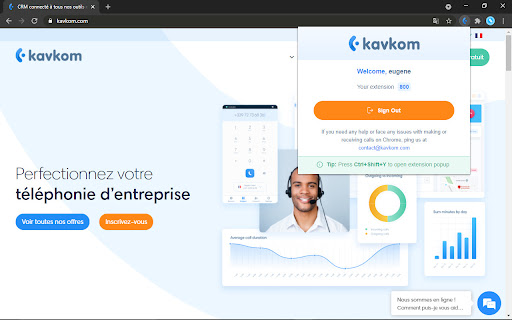
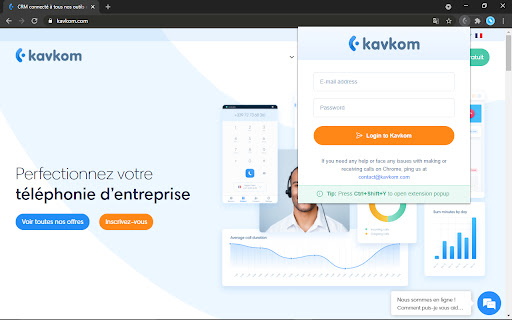
Searches for a phone numbers on web pages, allows to make calls by one click for logged in Kavkom Cloud PBX phone system users.
Thanks to the Kavkom Click2Call extension our Cloud Telephony Phone System users can save time when there's a need to dial up telephone number being displayed on Web page.
Fully compatible with most of popular CRM systems (SugarCRM, Zoho, Salesforces, Bitrix, Vtiger, Microsoft Dynamics and others) as well as regular websites.
How to use:
1) Install extension.
2) Login with your Kavkom PBX Cloud Telephony user credentials
3) Click on the dial button near the phone number at desired WEB page, or highlight number by dragging with mouse crosshair and press "call:" item at the right click context menu
| 分类 | 📝工作流程与规划 |
| 插件标识 | epfenpmnngonckanfoaehlnepjbjlmaa |
| 平台 | Chrome |
| 评分 |
☆☆☆☆☆
|
| 评分人数 | |
| 插件主页 | https://chromewebstore.google.com/detail/kavkom-click2call/epfenpmnngonckanfoaehlnepjbjlmaa |
| 版本号 | 25.2.3.0 |
| 大小 | 253KiB |
| 官网下载次数 | 676 |
| 下载地址 | |
| 更新时间 | 2021-04-28 00:00:00 |
CRX扩展文件安装方法
第1步: 打开Chrome浏览器的扩展程序
第2步:
在地址栏输入: chrome://extensions/
第3步: 开启右上角的【开发者模式】
第4步: 重启Chrome浏览器 (重要操作)
第5步: 重新打开扩展程序管理界面
第6步: 将下载的crx文件直接拖入页面完成安装
注意:请确保使用最新版本的Chrome浏览器