
Scratch Search Chrome 插件, crx 扩展下载
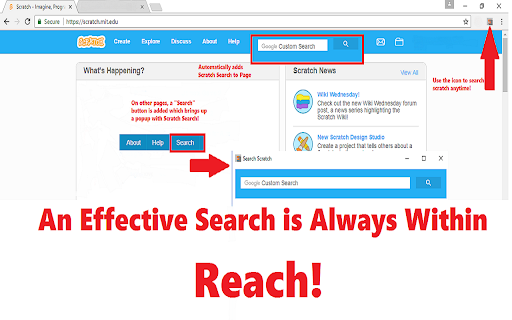
Replaces the Scratch Search on the website
The most important feature of navigating Scratch is a good search engine. The official search engine is only able to search projects and studios. With the Scratch Search chrome extension, you can search those, as well as the forums, the wiki, and users! It automatically replaces the search boxes seamlessly. You can also click the icon to search Scratch, even when you're not on the website.
Here, take a look for yourself on the differences in features:
Official Scratch Engine:
pros:
-searches projects and studios
cons:
-manual search switch
-doesn't search forums, wiki, or user accounts
Scratch Search Engine:
pros:
-powered by Google
-searches projects, studios, forums, the wiki, and users (without manual switch)
-works seamlessly with Scratch
-search functionality anytime, anywhere (toolbar access)
cons:
-displays small ads
In the end, we hope this chrome extension can be used to the benefit of many Scratchers.
| 分类 | 🛠️工具 |
| 插件标识 | fafijclghojlgdkfihpjnohpceakncoo |
| 平台 | Chrome |
| 评分 |
☆☆☆☆☆
|
| 评分人数 | |
| 插件主页 | https://chromewebstore.google.com/detail/scratch-search/fafijclghojlgdkfihpjnohpceakncoo |
| 版本号 | 1.0.5 |
| 大小 | 36.92KiB |
| 官网下载次数 | 190 |
| 下载地址 | |
| 更新时间 | 2017-06-15 00:00:00 |
CRX扩展文件安装方法
第1步: 打开Chrome浏览器的扩展程序
第2步:
在地址栏输入: chrome://extensions/
第3步: 开启右上角的【开发者模式】
第4步: 重启Chrome浏览器 (重要操作)
第5步: 重新打开扩展程序管理界面
第6步: 将下载的crx文件直接拖入页面完成安装
注意:请确保使用最新版本的Chrome浏览器