
Phishing Net - Virtual Firewall Chrome 插件, crx 扩展下载




Virtual Firewall by blocking access to malicious websites and links, preventing phishing attacks.
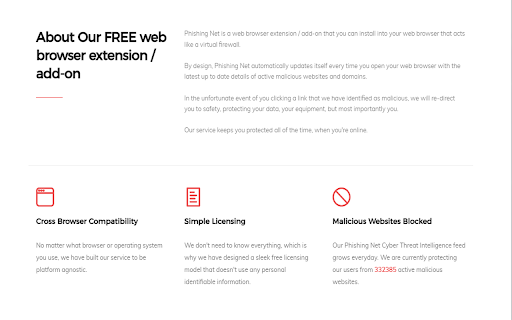
Phishing Net is a FREE web browser extension (and always will be, without any limitations) that acts as a virtual firewall, protecting you from malicious websites, domains and links.
Your anti-virus software or internet provider will protect you from some malicious links on the internet, but not all of them.
We capture and process threat intelligence everyday and share this with all of our users. It is automatically updated every time you open your browser.
We share our threat intelligence with everyone and encourage you to do the same. If you've received a suspicious link, don't click it, but share it with us instead and we can investigate and protect all of our users from it.
Legitimate businesses and organisations are impersonated everyday. 95% of cyber attacks are the result of successful phishing.
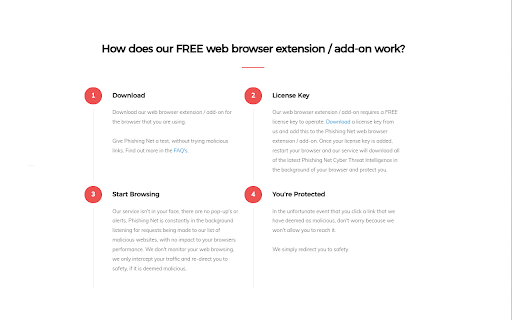
How does Phishing Net work?
Step 1: In the background of Phishing Net, we are reading all of the links, websites and domains that are attempting to be loaded to view the website you are visiting, without recording any of your traffic. All of this is checked against the Phishing Net Threat Intelligence database.
Step 2: If the malicious link matches a link, website or domain in our database, Phishing Net will deny the traffic being loaded and redirect you to safety.
36 million people have been targeted by scammers and hackers so far this year (2021).
Installing our extension has no impact on your browsers performance at all. Phishing Net is extremely lightweight, but also extremely powerful.
| 分类 | ♿无障碍访问 |
| 插件标识 | fanekaoedghogfjbnbdifeckiflbclkf |
| 平台 | Chrome |
| 评分 |
☆☆☆☆☆
|
| 评分人数 | |
| 插件主页 | https://chromewebstore.google.com/detail/phishing-net-virtual-fire/fanekaoedghogfjbnbdifeckiflbclkf |
| 版本号 | 3.50.6 |
| 大小 | 11.99KiB |
| 官网下载次数 | 19 |
| 下载地址 | |
| 更新时间 | 2021-11-30 00:00:00 |
CRX扩展文件安装方法
第1步: 打开Chrome浏览器的扩展程序
第2步:
在地址栏输入: chrome://extensions/
第3步: 开启右上角的【开发者模式】
第4步: 重启Chrome浏览器 (重要操作)
第5步: 重新打开扩展程序管理界面
第6步: 将下载的crx文件直接拖入页面完成安装
注意:请确保使用最新版本的Chrome浏览器