
Timed Browser Chrome 插件, crx 扩展下载
Prove what research you have been doing on the web and for how long.
Timed Browser
Prove Your Web Search.
Timed Browser is a simple and intuitive extension that lets you prove what research you have been doing on the web.
Timed Browser keeps track of the sites & pages you are visiting on your active tab plus the length of time spent on each page.
Used By:
Researchers: Prove the time and date of current, past & original research.
Employment Searches: Government agencies increasingly require proof that individuals are actively seeking work, where and for how long.
Virtual Assistants: Employers need to know that the hours of work they are paying for can be verified.
Features:
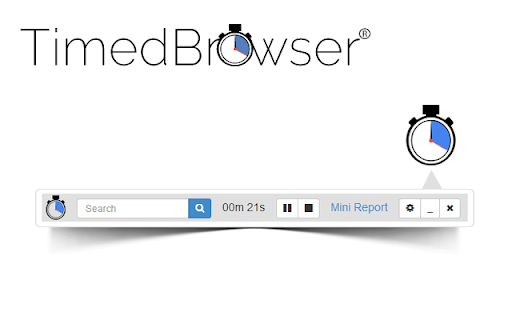
Google Search: Built in Google Search direct from the extension.
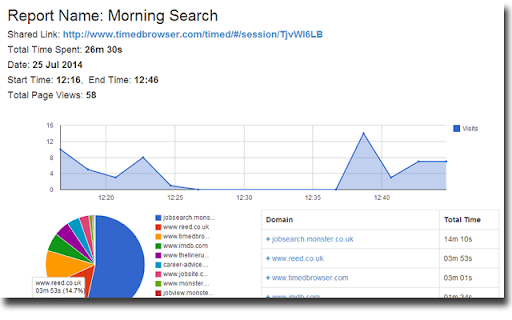
Mini Reports: Quick snap-shot of web browsing data.
Full Reports: View browsing data in three perfectly prepared charts.
Pause Timer: Pause & Continue timer with-out losing any data.
Save Session: Timed browsing sessions can be saved online for later viewing and sharing.
Named Sessions: Name each timed session. Notes make it easy to remember why you were searching in the first place.
Link Removal: Remove any visited URL before saving the final report to the cloud.
| 分类 | 📝工作流程与规划 |
| 插件标识 | fbgfmmmbiilgbbekhmemmccpjdodknoo |
| 平台 | Chrome |
| 评分 |
☆☆☆☆☆
|
| 评分人数 | |
| 插件主页 | https://chromewebstore.google.com/detail/timed-browser/fbgfmmmbiilgbbekhmemmccpjdodknoo |
| 版本号 | 0.1.6.8 |
| 大小 | 809KiB |
| 官网下载次数 | 103 |
| 下载地址 | |
| 更新时间 | 2015-01-02 00:00:00 |
CRX扩展文件安装方法
第1步: 打开Chrome浏览器的扩展程序
第2步:
在地址栏输入: chrome://extensions/
第3步: 开启右上角的【开发者模式】
第4步: 重启Chrome浏览器 (重要操作)
第5步: 重新打开扩展程序管理界面
第6步: 将下载的crx文件直接拖入页面完成安装
注意:请确保使用最新版本的Chrome浏览器