
Web Application/Tool Sniffer Chrome 插件, crx 扩展下载
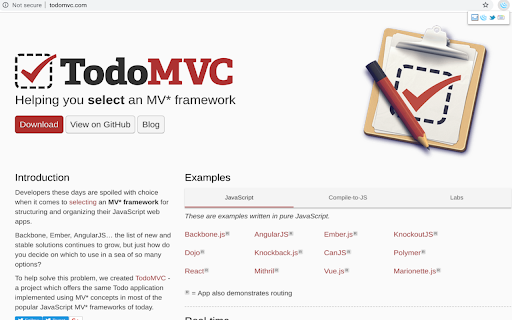
Detect web applications, tools, and javascript libraries running on the websites you browse.
Detects and displays web framework, CMS and javascript libraries running on the websites you are visiting.
An icon will appear in the address bar that indicates the detected frameworks. Version detection is available on some frameworks as well!
You can view the source code here:
https://github.com/jamesjnadeau/chromesniffer
I don't care to ever monetize this, or track what you're doing. Take a look at the code if you want :) I use this because I'm nosey, and thought I'd share my updates to the project.
This root project is not updated regularly, and I've pulled in some changes others have submitted, and a few of my own tweeks. These include:
-proper detection of twitter bootstrap
-jQuery Mobile Detection
-aws services from https://github.com/nqbao/chromesniffer/pull/65
| 分类 | 💻开发者工具 |
| 插件标识 | fbnlibmhkkkpncdgfolnijebgnmbdbhi |
| 平台 | Chrome |
| 评分 |
☆☆☆☆☆
|
| 评分人数 | |
| 插件主页 | https://chromewebstore.google.com/detail/web-applicationtool-sniff/fbnlibmhkkkpncdgfolnijebgnmbdbhi |
| 版本号 | 0.9.1 |
| 大小 | 709KiB |
| 官网下载次数 | 1000 |
| 下载地址 | |
| 更新时间 | 2018-12-27 00:00:00 |
CRX扩展文件安装方法
第1步: 打开Chrome浏览器的扩展程序
第2步:
在地址栏输入: chrome://extensions/
第3步: 开启右上角的【开发者模式】
第4步: 重启Chrome浏览器 (重要操作)
第5步: 重新打开扩展程序管理界面
第6步: 将下载的crx文件直接拖入页面完成安装
注意:请确保使用最新版本的Chrome浏览器