
Easy Tab URL Chrome 插件, crx 扩展下载


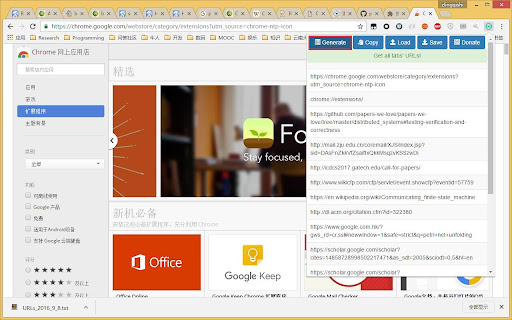
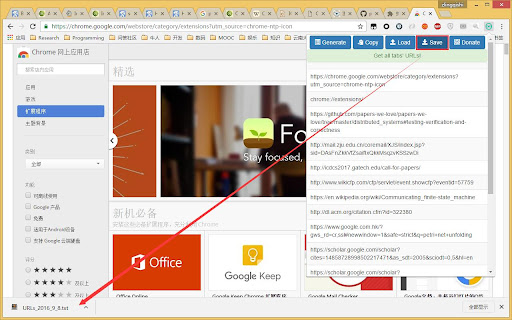
Allow you get all tab's url, save to local file system, load all urls from file, etc.
Features:
- get all tabs' urls
- copy all tabs' urls to clipboard(Chrome only!)
- save all tabs' urls to local file
- read local file and open all urls in the file(file generated from 'save' function)
This extension is opensourced at https://github.com/coder-chenzhi/EasyTabURL-ChromeExtension.
==========ChangeLog===========
2018.3.11 (v0.4.0)
- add tab titles (this is compatible with old version's file format)
- open all urls in new window
- keep the tab order when open all urls from local file
| 分类 | 📝工作流程与规划 |
| 插件标识 | fccbmnpilngffifjlblcnaaeoahbamfp |
| 平台 | Chrome |
| 评分 |
☆☆☆☆☆
|
| 评分人数 | |
| 插件主页 | https://chromewebstore.google.com/detail/easy-tab-url/fccbmnpilngffifjlblcnaaeoahbamfp |
| 版本号 | 2.0 |
| 大小 | 642KiB |
| 官网下载次数 | 546 |
| 下载地址 | |
| 更新时间 | 2018-03-11 00:00:00 |
CRX扩展文件安装方法
第1步: 打开Chrome浏览器的扩展程序
第2步:
在地址栏输入: chrome://extensions/
第3步: 开启右上角的【开发者模式】
第4步: 重启Chrome浏览器 (重要操作)
第5步: 重新打开扩展程序管理界面
第6步: 将下载的crx文件直接拖入页面完成安装
注意:请确保使用最新版本的Chrome浏览器