
Blue Alphant Chrome 插件, crx 扩展下载
Character Entity Reference Chart and Font Support Verification
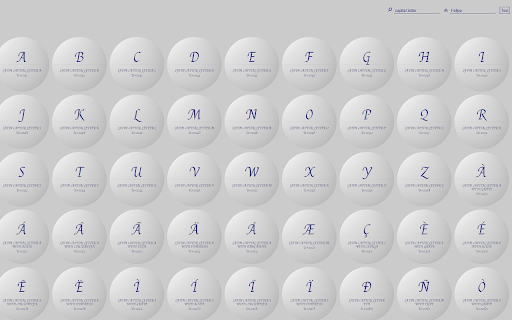
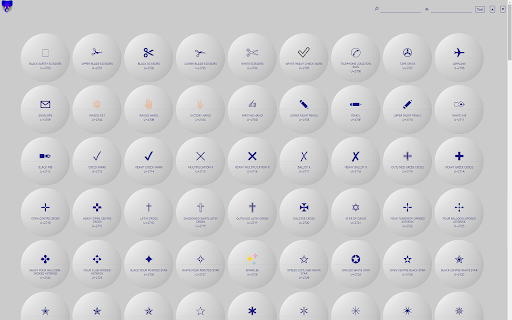
Blue Alphant is a reference tool for developers, designers, and anyone interested in using Unicode for any reason. Blue Alphant not only functions as an easy-to-use, highly visual Unicode Character Entity Reference Chart, but also allows you to quickly verify which characters are supported by the installed fonts on your desktop, tablet, or mobile device.
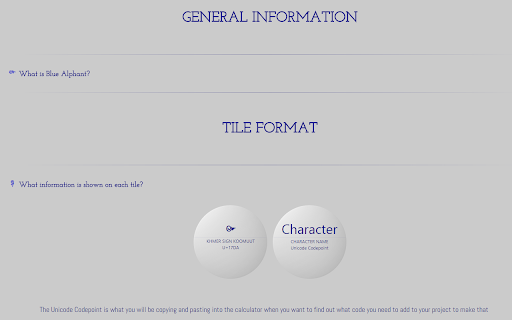
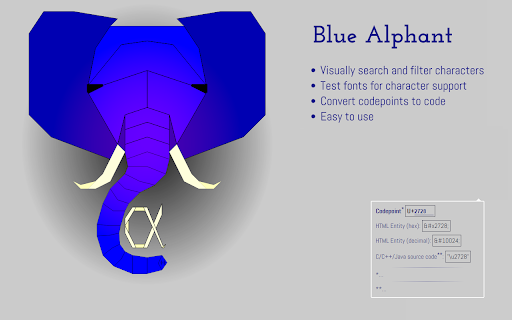
Blue Alphant allows you find the general type of character you want in the menu, filter through the related characters to narrow down the search, and visually scan through the remaining characters to find exactly what you need. Each character tile includes the name of the character and its codepoint, which you can use to convert to HTML, Java, and C++ friendly codes.
Updates 1.1 through 1.4:
- Corrected typos
- Added new questions and answers in the help menu
- Corrected a minor design issue
Update 2.0 through 2.2:
- Updated existing writing systems for Unicode Version 11
- Updated symbols, punctuation, and emoji for Unicode Version 11
- Corrected a bug that caused some menu items to disappear past the edge of the dropdown menu on some brands of large curved monitors.
- Added new writing and numbering systems for Unicode Version 11 (Hanifi Rohingya, Old Sogdian, Sogdian, Dogra, Gunjala Gondi, Makasar, Medefaidrin, Mayan Numerals, and Indic Siyaq Numbers)
Update 3.0:
- Updated existing writing systems for Unicode Version 12
- Updated symbols, punctuation, and emoji for Unicode Version 12, including the new Symbols and Pictographs Extended-A
- Reorganized sections for emojis and other symbols, for example, moving some game symbols into the game symbols section from other sections.
- Added new writing and numbering systems for Unicode Version 12 (Elymaic, Nandinagari, Tamil Supplement, Egyptian Hieroglyph Format Controls, Small Kana Extension, Nyiakeng Puachue Hmong, Wancho, and Ottoman Siyaq Numbers)
Update 4.0
- Blue Alphant has been refactored completely, is compatible with most devices on any major browsers (and likely plenty of minor browsers), is renamed Azure Alphant, is available for download at https://sheilart.github.io/Azure-Alphant/ and will no longer be updated here. Blue Alphant (3.0) will still be available here in legacy form.
| 分类 | 📝工作流程与规划 |
| 插件标识 | fckhccdmjmhdbdkehjkdfomlomckkmmk |
| 平台 | Chrome |
| 评分 |
☆☆☆☆☆
|
| 评分人数 | |
| 插件主页 | https://chromewebstore.google.com/detail/blue-alphant/fckhccdmjmhdbdkehjkdfomlomckkmmk |
| 版本号 | 25.2.3.0 |
| 大小 | 1.3MiB |
| 官网下载次数 | 40 |
| 下载地址 | |
| 更新时间 | 2019-08-15 00:00:00 |
CRX扩展文件安装方法
第1步: 打开Chrome浏览器的扩展程序
第2步:
在地址栏输入: chrome://extensions/
第3步: 开启右上角的【开发者模式】
第4步: 重启Chrome浏览器 (重要操作)
第5步: 重新打开扩展程序管理界面
第6步: 将下载的crx文件直接拖入页面完成安装
注意:请确保使用最新版本的Chrome浏览器