
LiteCite - Quotation and Auto Citation Chrome 插件, crx 扩展下载
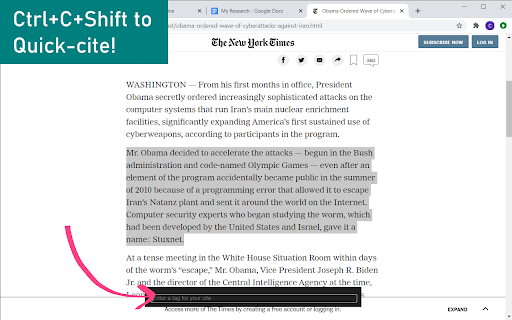
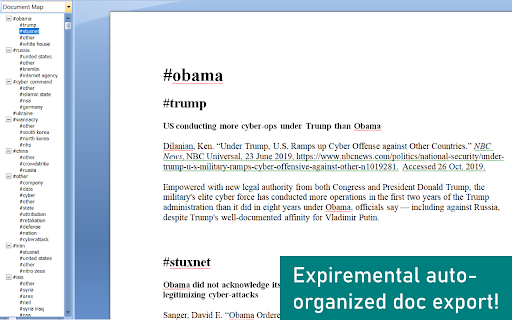

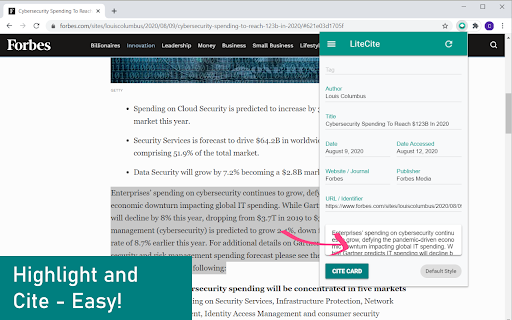
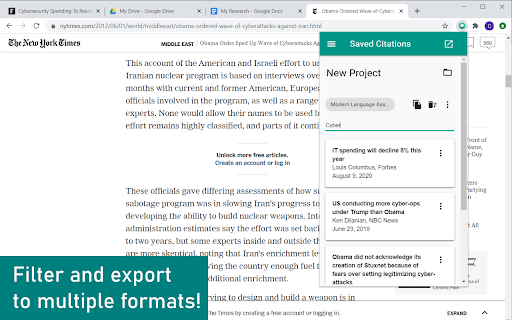
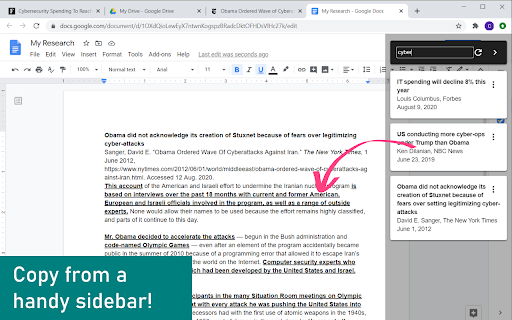
Your hidden super power. Autocite and quote at once! 9000+ citation styles and export to multiple formats.
Research and citations done together so you don't need to go back and complete citations when you finish your paper!
Research + Citation made EASY
- High quality autocites with formattable quotations
- Autocites and optional quotes saved together
- 9000+ citation styles including MLA, Harvard, Chicago, and APA
- Supports DOI, PMID, and ISBN
- Export or copy bibliographies to Google Docs, Word, Zotero, Mendeley and EndNote using Docx, CSL-JSON, Bibtex, or RIS
- Create multiple projects
- Quick-cite using ctrl+c+shift or cmd+c+shift
- Easy to access, toggleable sidebar containing your research
- No sign up or external websites necessary!
- Made with love!
Hi, my name is Jefferson. I made this extension as an experiment to see if I could make high school debate easier. What started as a simple experiment has ballooned into a 2 year commitment and a wonderful chrome extension. If you find this extension useful, feel free to leave a review/share a link so others can enjoy my project! ;)
Changelog
0.1.7.5
- Added keyboard shortcut for sidebar (use Alt+S)
- Added setting for paragraph spacing within quoted text
- Reduced sidebar memory usage
- Squashed some bugs
0.1.5.5
- Added automatically organized research export option!
- First published version!
| 分类 | 📝工作流程与规划 |
| 插件标识 | fgfmogmmpgfolmebmimlnjbmhecinngd |
| 平台 | Chrome |
| 评分 |
☆☆☆☆☆
|
| 评分人数 | |
| 插件主页 | https://chromewebstore.google.com/detail/litecite-quotation-and-au/fgfmogmmpgfolmebmimlnjbmhecinngd |
| 版本号 | 25.2.3.0 |
| 大小 | 11.75MiB |
| 官网下载次数 | 1000 |
| 下载地址 | |
| 更新时间 | 2020-08-27 00:00:00 |
CRX扩展文件安装方法
第1步: 打开Chrome浏览器的扩展程序
第2步:
在地址栏输入: chrome://extensions/
第3步: 开启右上角的【开发者模式】
第4步: 重启Chrome浏览器 (重要操作)
第5步: 重新打开扩展程序管理界面
第6步: 将下载的crx文件直接拖入页面完成安装
注意:请确保使用最新版本的Chrome浏览器